Overview
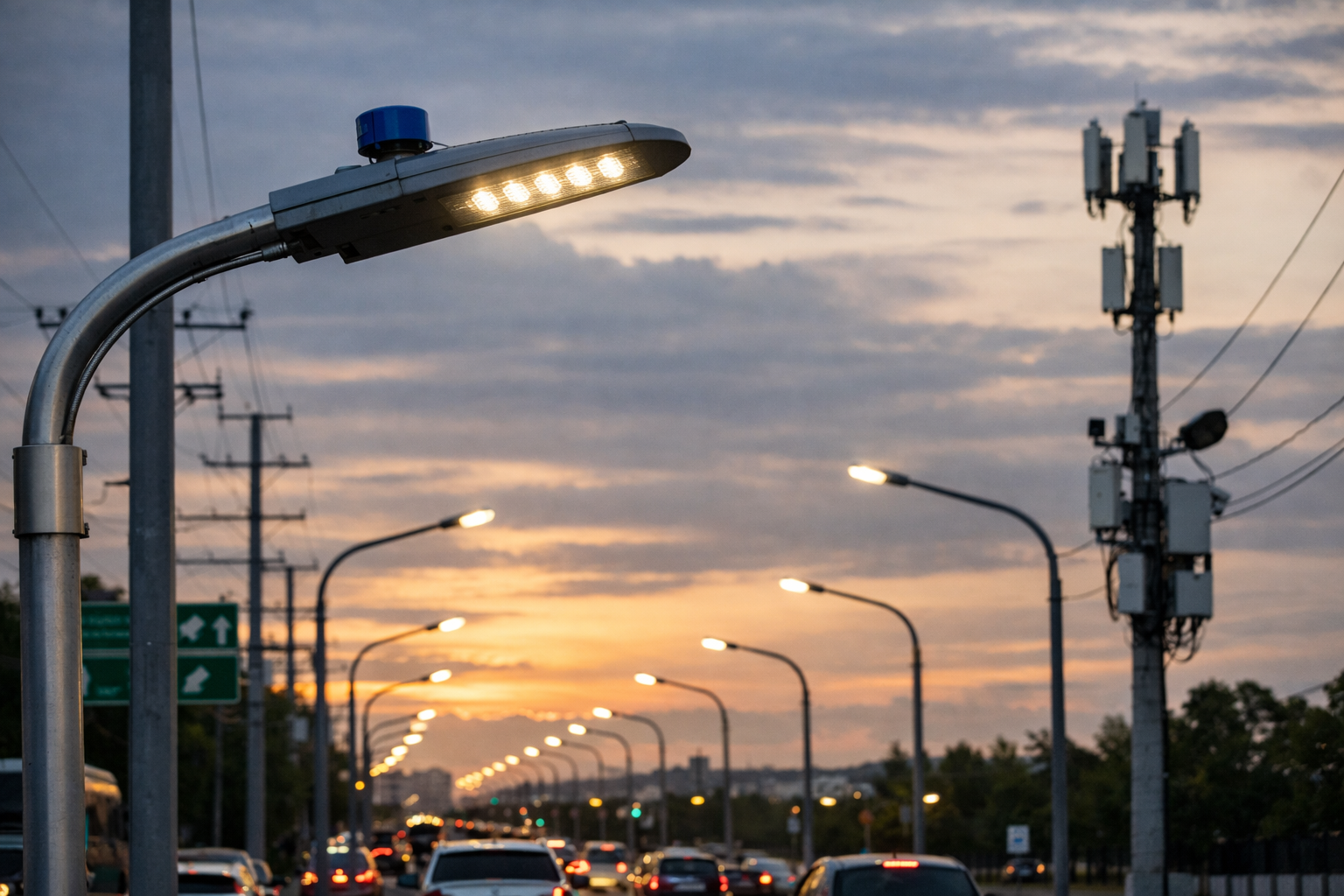
In this lesson, you will build a Smart Street Light System using the RGX Kit. The system detects people or vehicles passing by using an ultrasonic sensor and automatically turns an LED street light ON or OFF.
This project is inspired by real motion-activated street lighting used in modern smart cities to save energy by only providing light when it is actually needed.
Objectives
•
Understand how an ultrasonic sensor detects motion and distance.
•
Learn how to control LEDs based on real-time sensor input.
•
Master IF / ELSE logic for autonomous system control.
•
Explore the importance of variables in storing sensor data.
Meet the Components
You will use:
•
Ultrasonic Sensor (S04)
•
LED Module (A01)
•
RGX Control Board
•
RJ11 Easy-Plug Cables
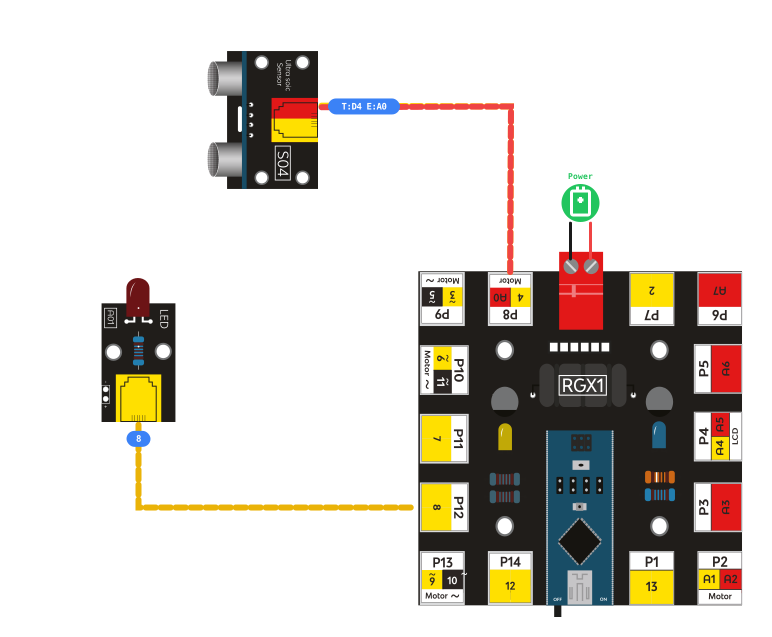
Hardware Connections
Component | Pin Connection |
|---|---|
Ultrasonic Sensor | Trig PIN 4 Echo PIN A0 |
LED Module | Pin 8 |
Make sure all connections are secure using RJ11 cables.
System Logic
Object Nearby? | LED |
Distance < 100 cm | ON |
Distance >= 100 cm | OFF |
•
Motion Detected: When a person or vehicle approaches, the street light turns ON automatically to provide safety.
•
Idle State: When no one is nearby, the light turns OFF, drastically reducing electricity waste.
This allows energy-efficient street lighting without human intervention.
Coding the System
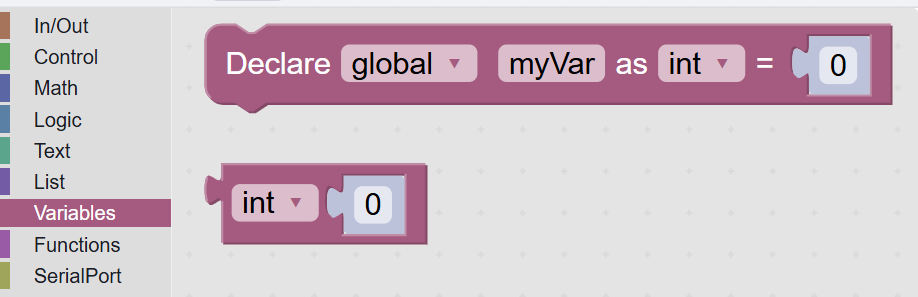
Step 1: Declare Global Variable
Before the system can measure distance, we need a variable to store the value coming from the ultrasonic sensor.
A variable is a named storage space in the program that holds data.
Programs use variables to store information that can change while the program is running, such as distance, temperature, or sensor values.
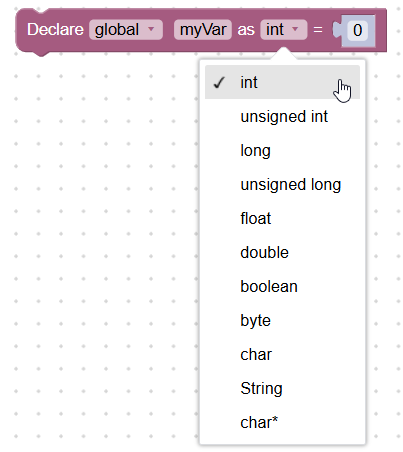
Types of Variables
Programming languages use different data types to store different kinds of information.
Variables Category Panel
Variables Category Panel
1. Integer (int) : Stores whole numbers without decimals.
2. Float : Stores decimal numbers.
3. Boolean (bool) : Stores only two values: True / False
4. String : Stores text or characters.
Global vs Private Variables
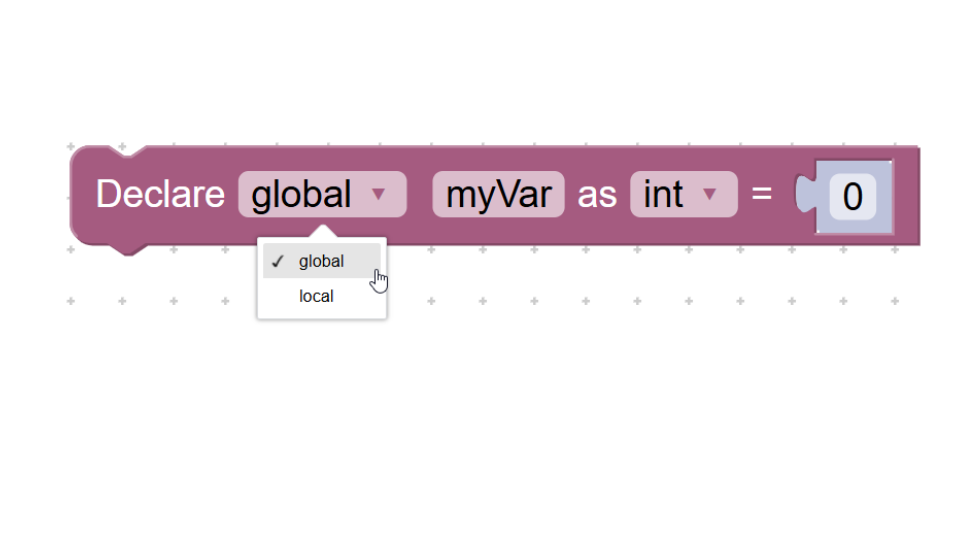
Variable Block
Global Variable
A global variable is a variable that can be accessed and used anywhere in the program.
Characteristics
Declared outside functions or blocks.
Accessible by all parts of the program.
Used when multiple parts of the program need the same data.
Use global variables when :
Multiple blocks of code need the same data.
Sensor readings must be used in several places.
You want to store a value that many functions will access.
Local Variable
A local variable is a variable that can only be used inside the block or function where it was created.
Characteristics
Not accessible outside its block.
Used temporarily for calculations.
Helps keep programs organized.
Use local variables when:
The value is only needed in one small part of the program.
You want to avoid affecting other parts of the program.
The variable is used for temporary calculations.
Action: Creates a variable named distance to store the measured distance from the sensor. The variable is global, so it can be used anywhere in the program.
Step 2: Read Distance from Sensor
Action: Measures the distance between the ultrasonic sensor (S04) and an object in front of it. Stores the measured value in the distance variable. This value will be used to decide whether to turn the LED ON or OFF.

reading sensor
At the beginning of the program, no measurement has been taken yet, so the value starts at 0 until the sensor records the real distance.
Name the variable "distance" because it will store the distance measured by the ultrasonic sensor.
Name the variable "distance" because it will store the distance measured by the ultrasonic sensor.
Step 3: IF – Object Detected
Condition: If the distance is less than 100 cm → a person or vehicle is nearby.

if condition block
Action : Keep the LED ON for 2 seconds before checking the distance again. This simulates a smart street light turning on when motion is detected.
Step 4: ELSE – No Object Nearby
Condition : If the distance is 100 cm or more → no object is nearby.
Action :Turns the LED OFF to save energy.
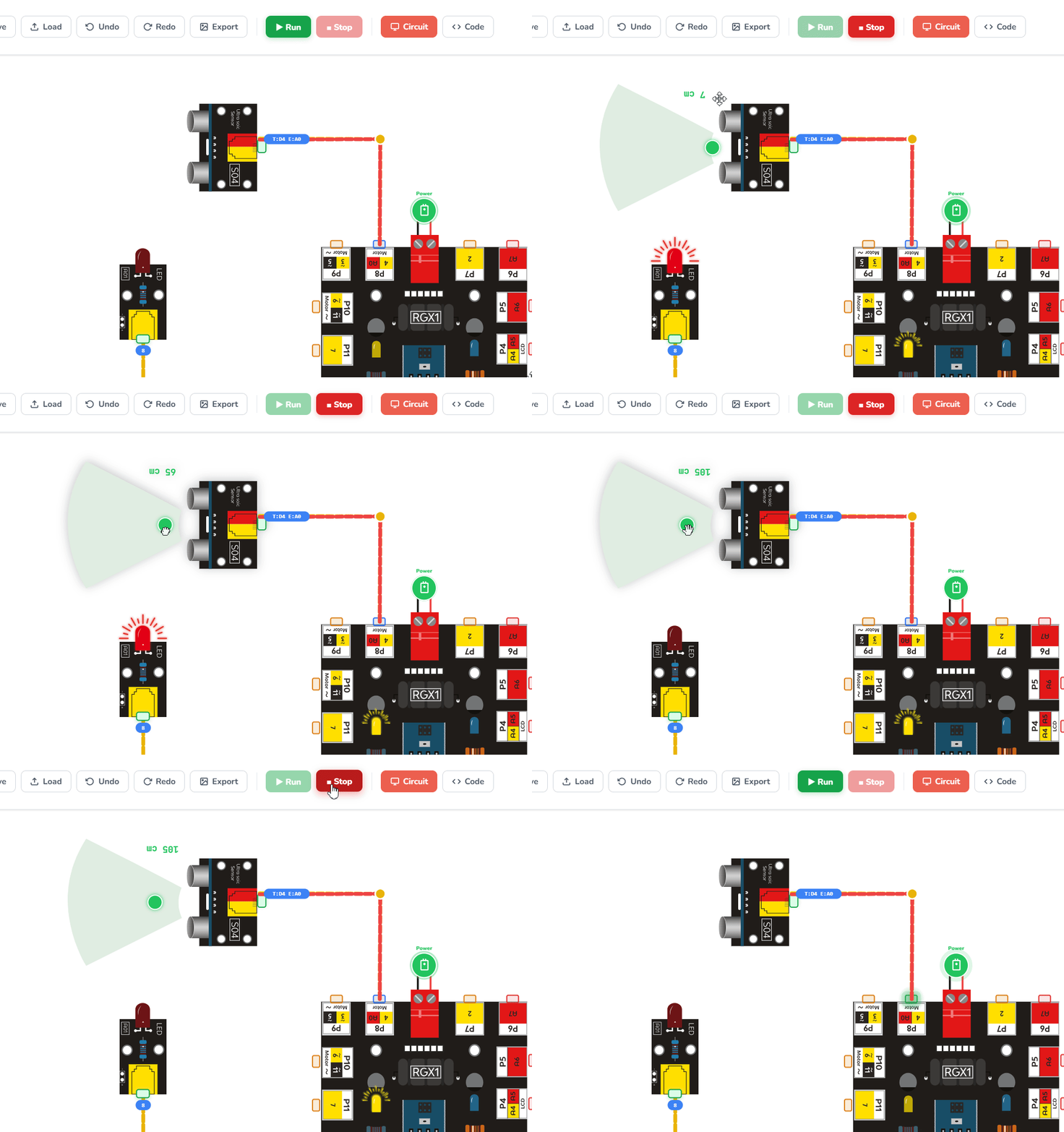
Running the code
Test Your System
Power the RGX board Move a hand or object near the sensor.
Observe: LED turns ON for 2 seconds.
Move away and observe: LED turns OFF
If the light responds to your movement, your smart city prototype is ready!
Improve & Extend
•
Safety Alarm: Add a buzzer that sounds a warning for pedestrians when a car is detected.
•
Brightness Control: Use PWM to make the light stay at 10% brightness normally, and 100% when motion is detected.
•
LCD Feedback: Add an LCD to display "Motion Detected!" and show the exact distance of the approaching object.