Overview
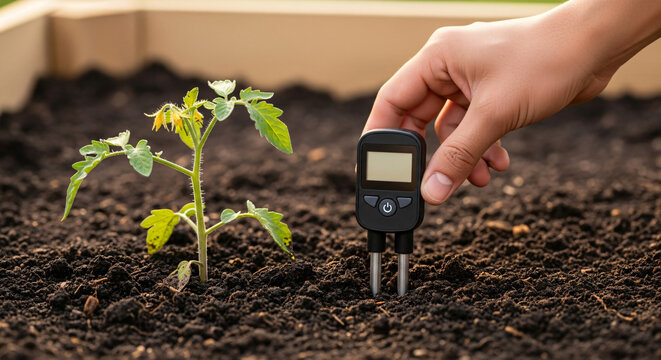
In this lesson, you will build a Smart Soil Moisture System using the RGX Kit. This system monitors the health of a plant by measuring the water levels in the soil.
Just like professional smart farms, your system will react automatically:
•
Soil is Dry: The watering system (Servo valve) opens, and a warning alarm sounds.
•
Soil is Wet: The watering system shuts off to conserve water and prevent over-watering.
This project is inspired by smart farming systems used in modern agriculture to keep plants healthy while saving water and resources.
Objectives
•
Understand how Analog Sensors measure physical properties like moisture.
•
Learn to interpret analog data (0-1023) from the soil.
•
Use Dual LED Indicators to show system status.
•
Apply automation logic to promote environmental sustainability.
Meet the Components
You will use:
•
LED Module (A01)
•
Buzzer (A02)
•
Servo Motor (water valve simulation)
•
RGX Control Board
•
NEW COMPONENT :
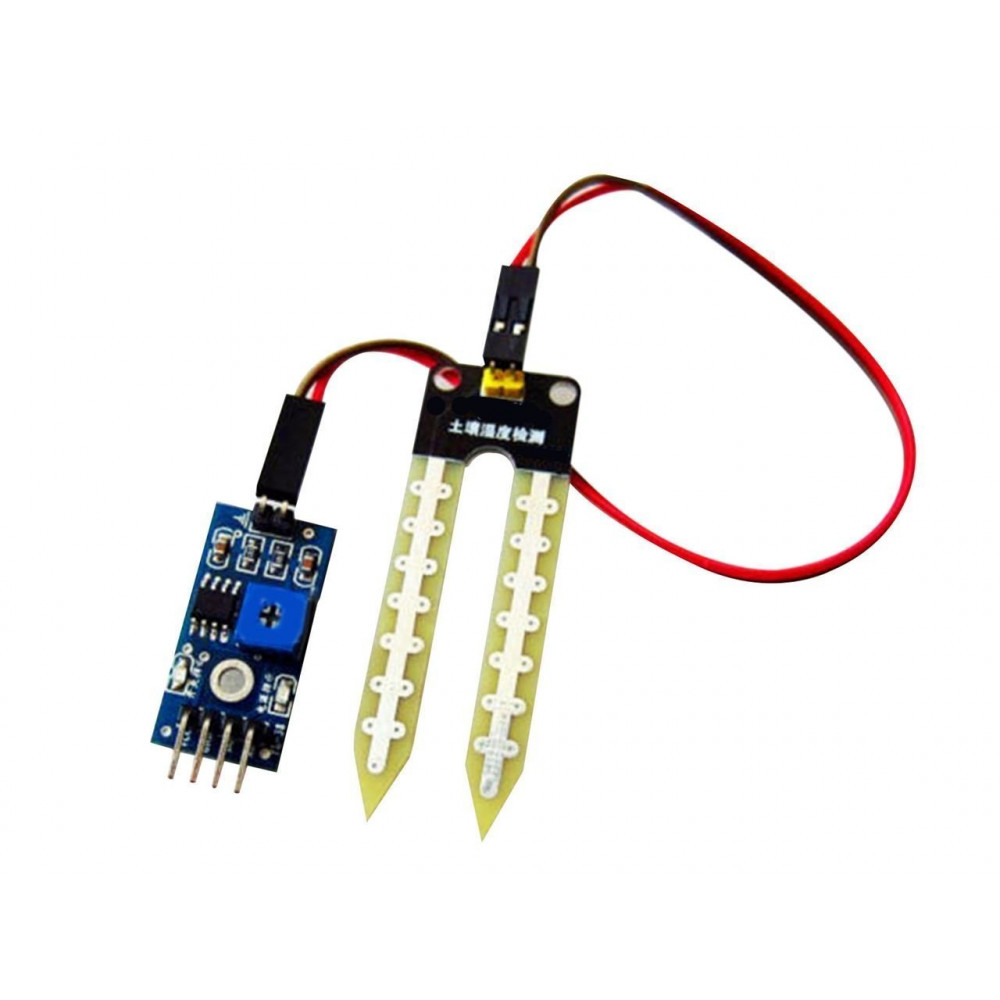
Soil Moisture Sensor
Hardware Connections
Component | PIN Connection |
|---|---|
Soil Moisture Sensor | PIN A6 |
LED Module green | PIN 7 |
Buzzer | PIN 8 |
Servo Motor | PIN 12 |
Status LED (Water Stop Indicator) | PIN 2 |
Use RJ11 Easy-Plug cables for all connections.
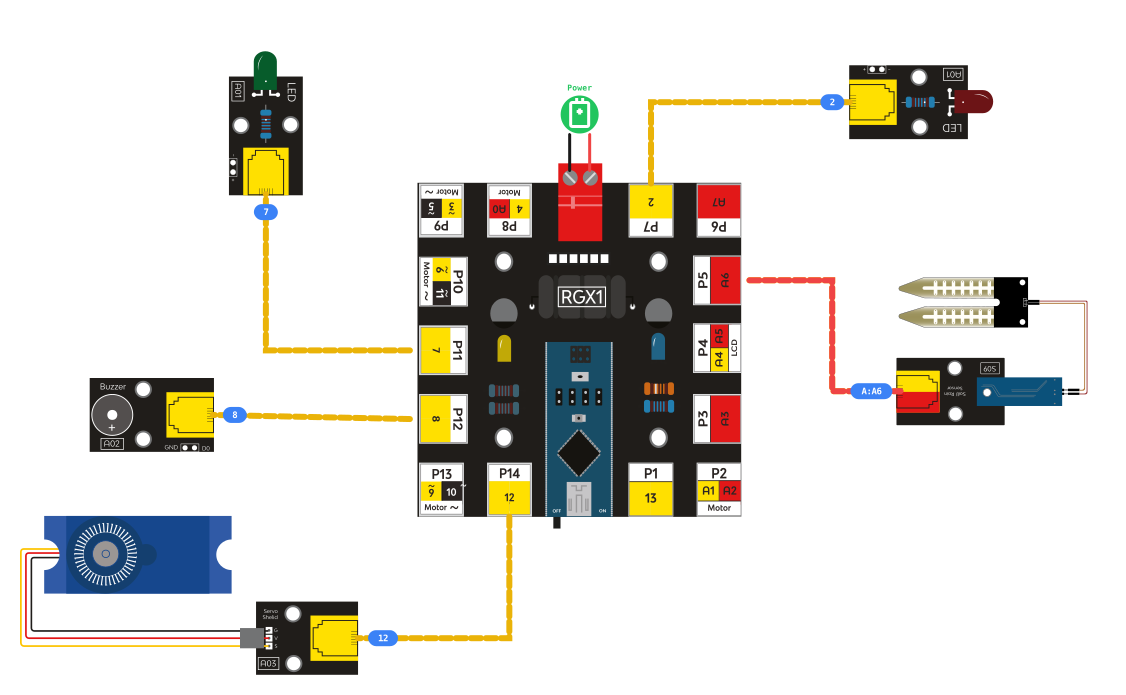
RGX connection
System Logic
Soil Condition | Red LED/ Buzzer | Green LED | Servo Valve |
|---|---|---|---|
Soil Dry < 600 | ON | OFF | OPEN (180°) |
Soil Wet > 600 | OFF | ON | CLOSE (0°) |
The system automatically decides whether plants need water.
A clear setup is:
The two LEDs act as a plant status indicator:
Red LED → Soil Dry (problem / needs water)
Green LED → Soil Wet (healthy / watering stopped)
The two LEDs act as a plant status indicator:
Red LED → Soil Dry (problem / needs water)
Green LED → Soil Wet (healthy / watering stopped)
Coding the System
Step 1: Read Soil Moisture
Read the analog value from the soil sensor and store it in the variable soil.

Soil analog block
Step 2: IF Soil is Dry (Watering ON)
Condition: If soil < 600
Actions:
•
Red LED ON → soil is dry
•
Green LED OFF
•
Buzzer ON → alert
•
Servo 180° → water valve OPEN
This means the plant needs water.
Step 3: ELSE Soil is Wet (Watering OFF)
Actions:
•
Red LED OFF
•
Green LED ON → soil moisture OK
•
Buzzer OFF
•
Servo 0° → valve CLOSED
This means the soil has enough water.
Test Your System
Try the sensor in:
•
Dry soil → Water ON + Alarm + Servo opens
•
Wet soil → Water OFF + Alarm OFF + Servo closes
If the system reacts correctly → you have built a smart irrigation system!
Improve & Extend
Enhance your system with technology upgrades:
•
Add LCD to show live moisture percentage
•
Add a water pump to simulate real irrigation
•
Send notifications using Wi-Fi/Bluetooth
•
Use multiple sensors for different plants