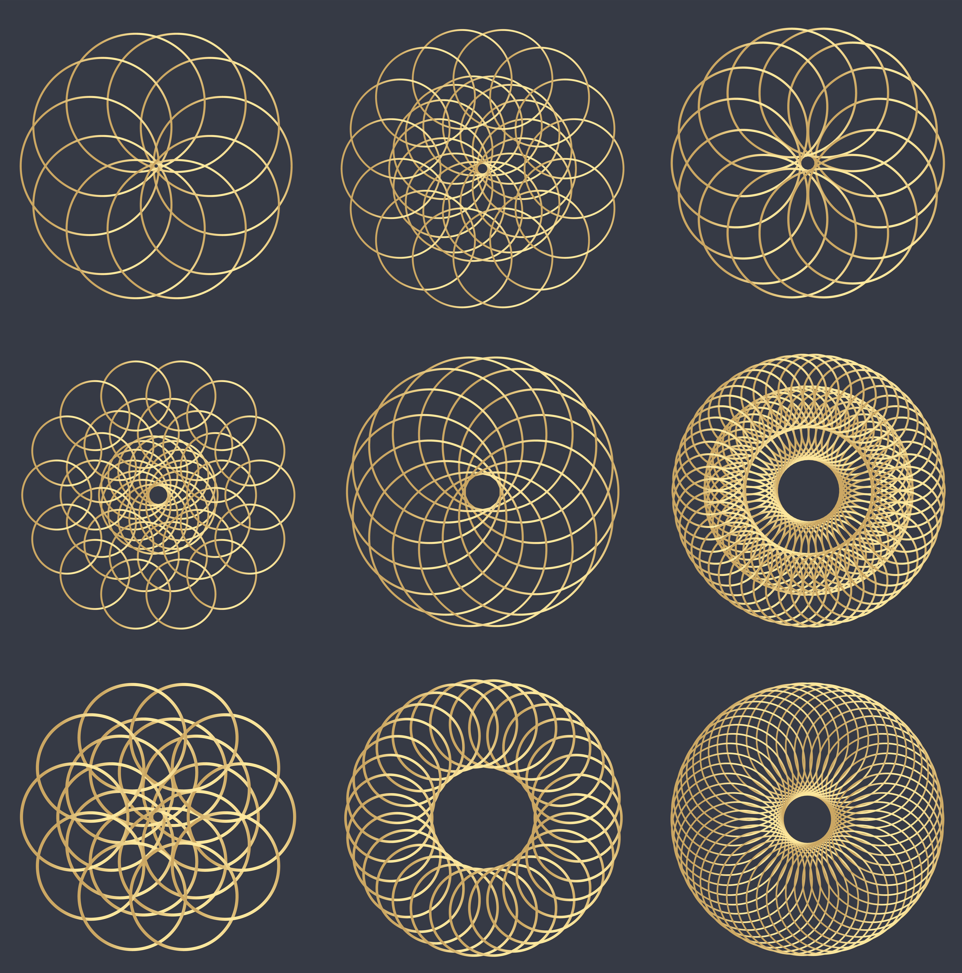
Lesson Overview
In this lesson, students learn how to combine shapes and make patterns using functions and repetition to create beautiful geometric designs. By repeating and rotating shapes such as circles, triangles, and hexagons, you create artistic patterns with Ziggy the Turtle.
This lesson helps learners become creative digital artists while improving programming skills.
What You Will Learn
•
Combine shapes using functions
•
Use repetition to create patterns
•
Rotate shapes to build artistic designs
•
Create flowers and geometric artworks
Activity 1: Circle Combination
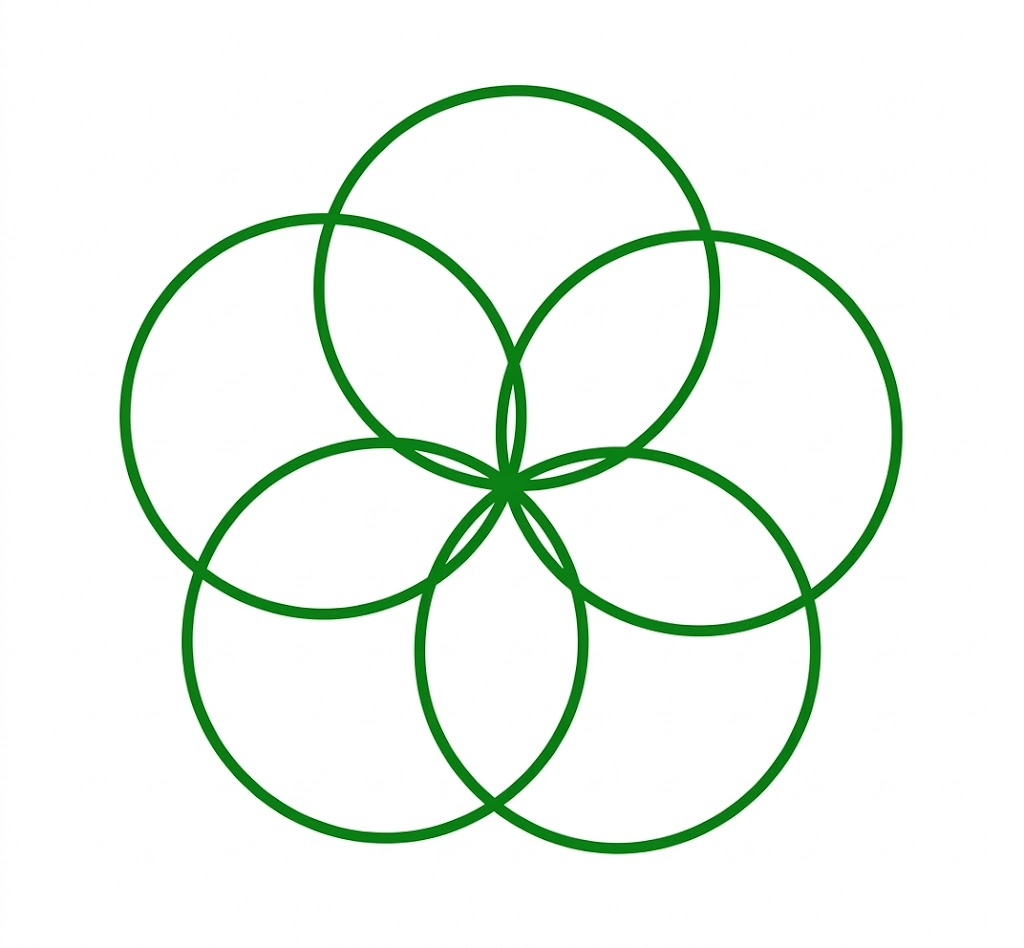
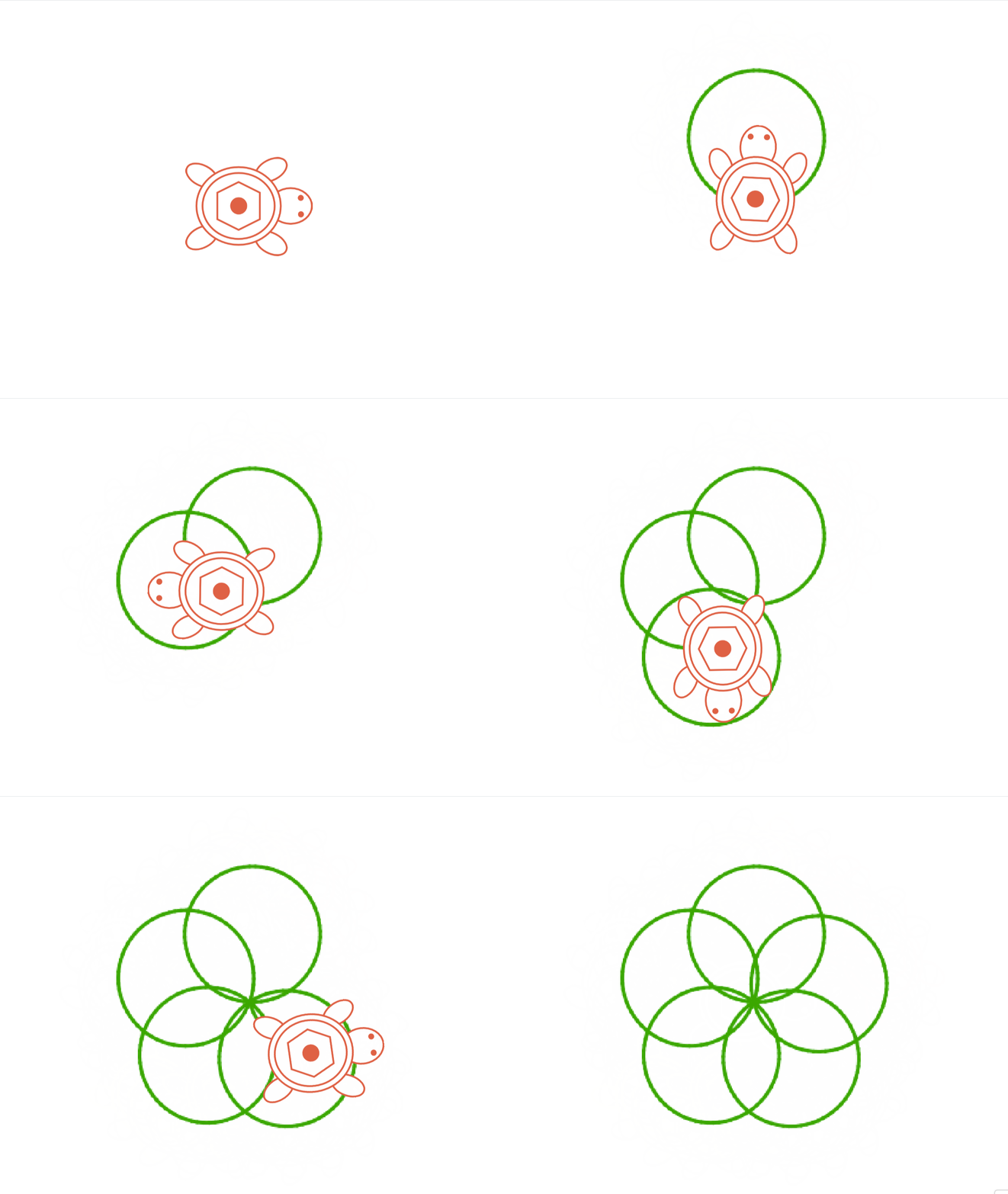
In Lesson 6, we learned how to draw a circle. Now we combine several circles to create a pattern.
Steps:
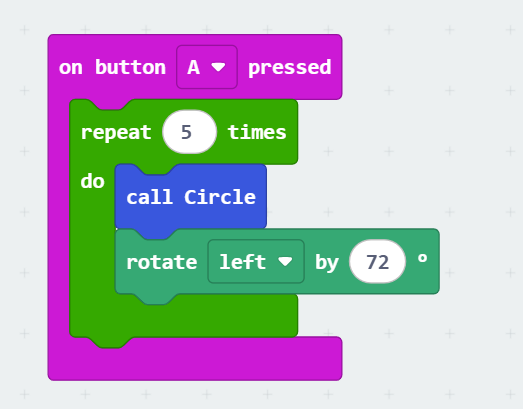
The created pattern consists of 5 circles. Since each full rotation is 360°, we need to rotate 360° / 5 (72°) after finishing each circle.
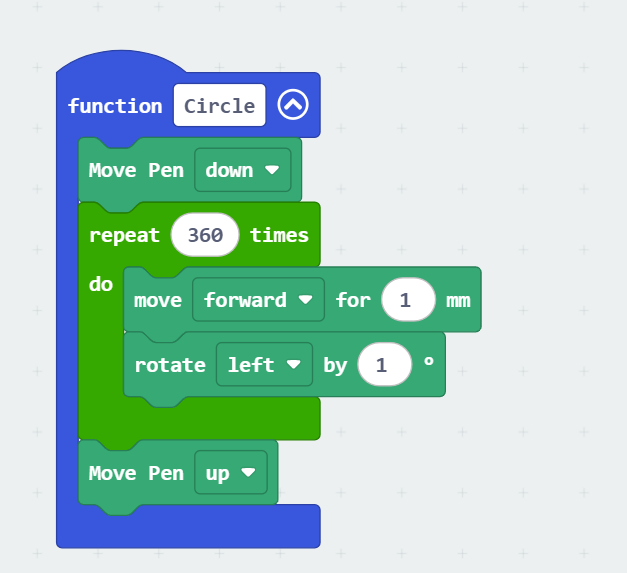
1.
Create a function to draw a circle ( Review Lesson 7 for more )
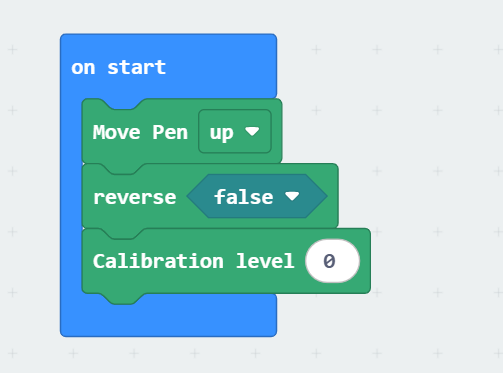
1.
Set up your Ziggy and change the values according to your robot
1.
On button A, repeat drawing the circles 5 times
Activity 2: Triangle Combination
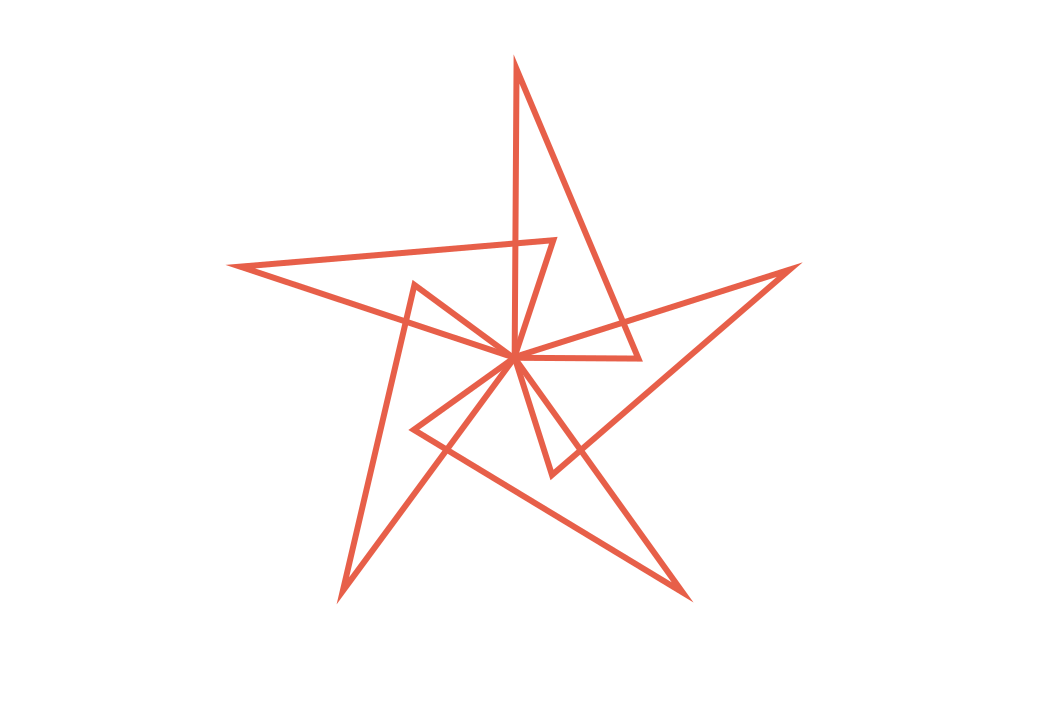
Create a pattern using right triangles.
Steps:
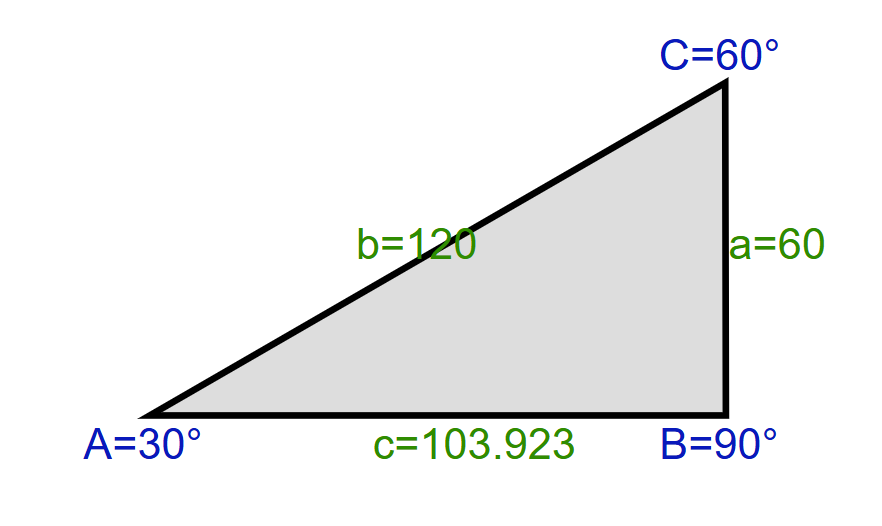
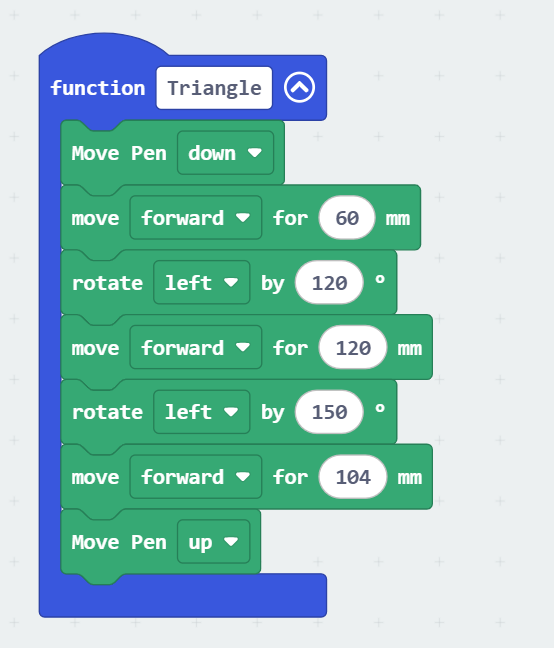
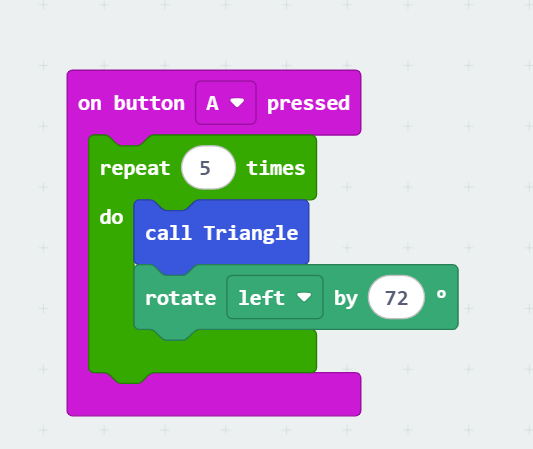
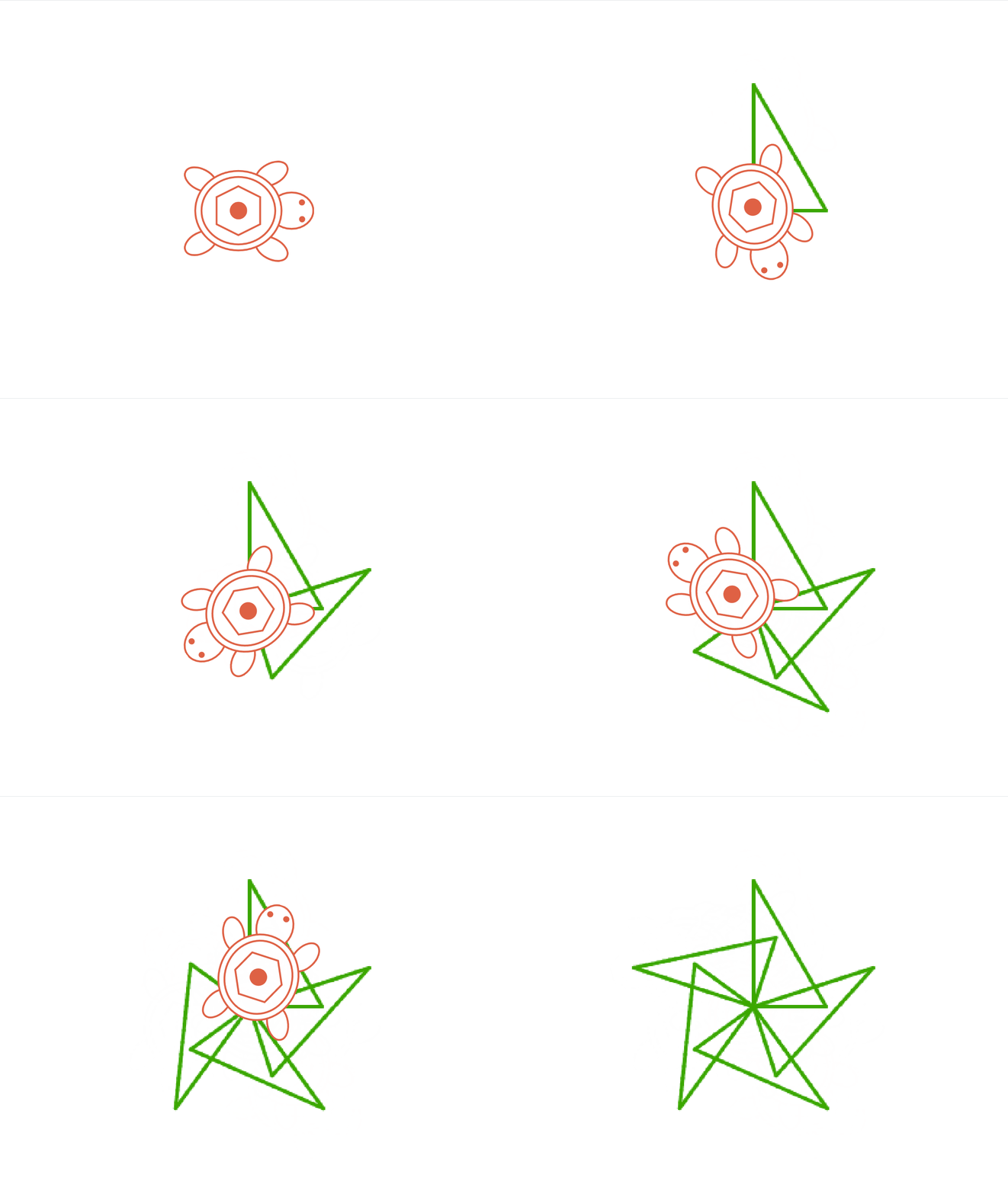
The created pattern consists of 5 right triangles. Since each full rotation is 360°, we need to rotate 360° / 5 (72°) after finishing each triangle.
1.
Create a function to draw a triangle ( Review Lesson 5 for more )
1.
Set up your Ziggy and change the values according to your robot
1.
On button A, repeat drawing the triangle 5 times
Activity 3: Hexagon Combination
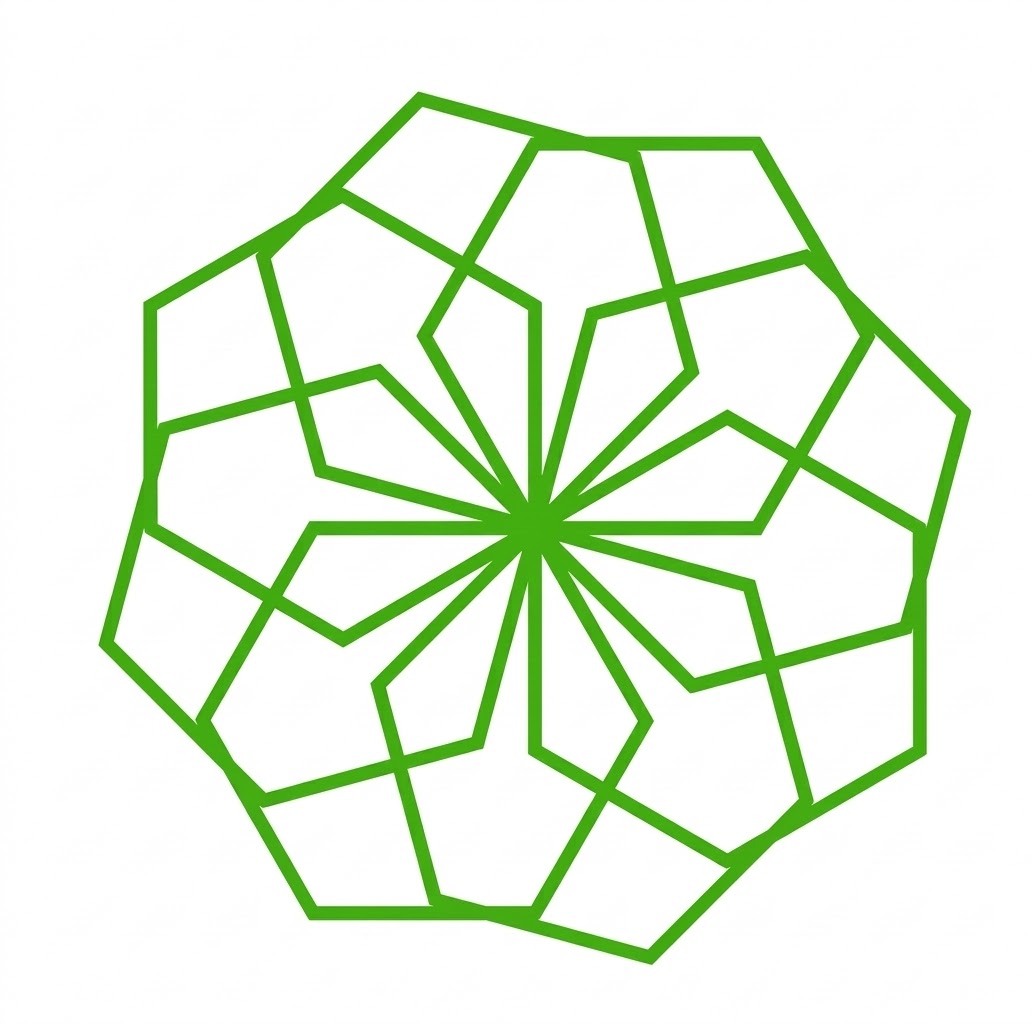
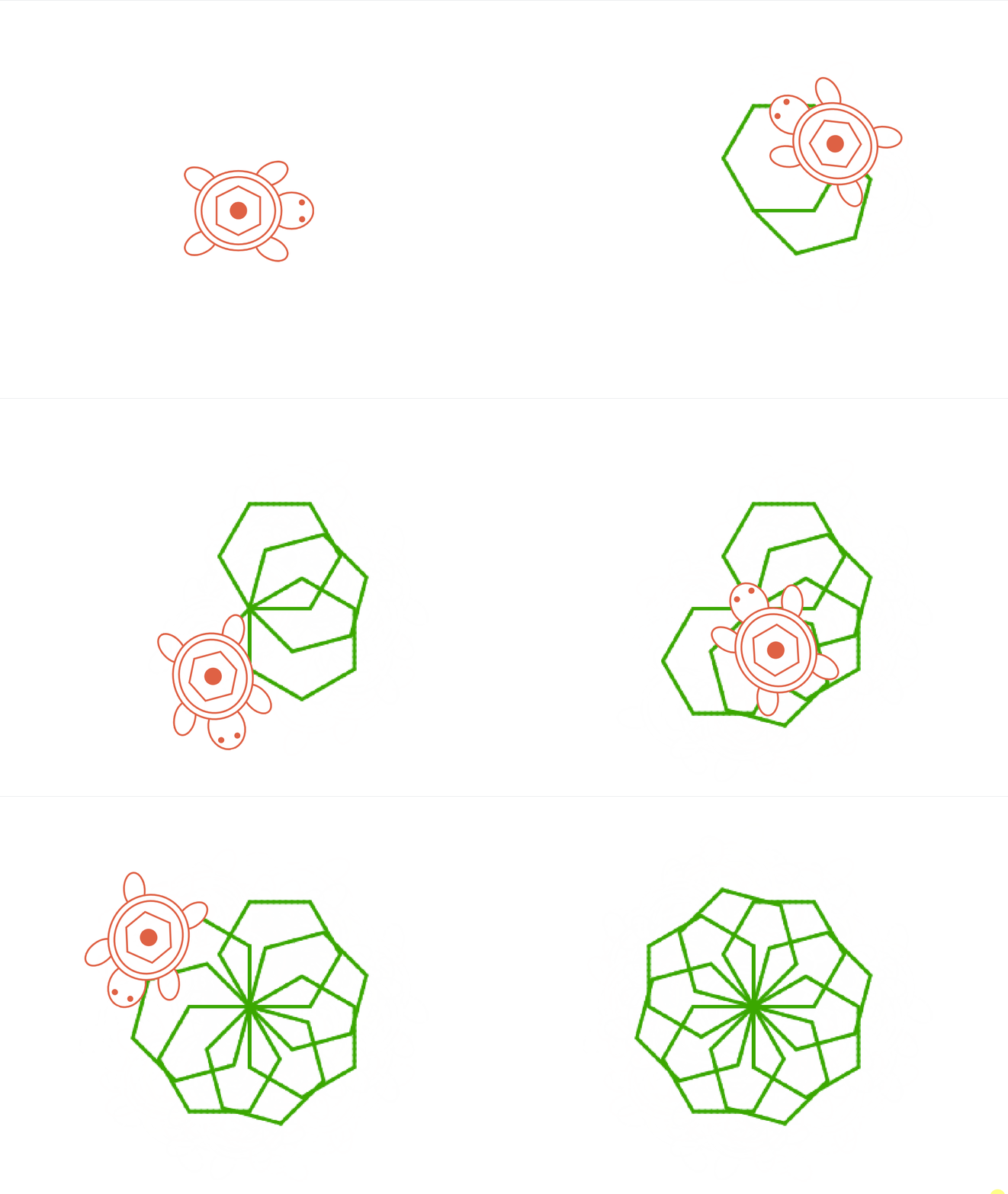
Combine eight hexagons to build a pattern.
Steps:
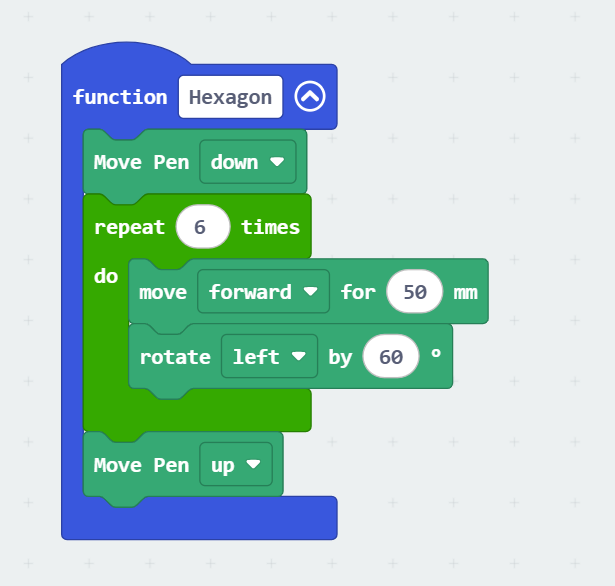
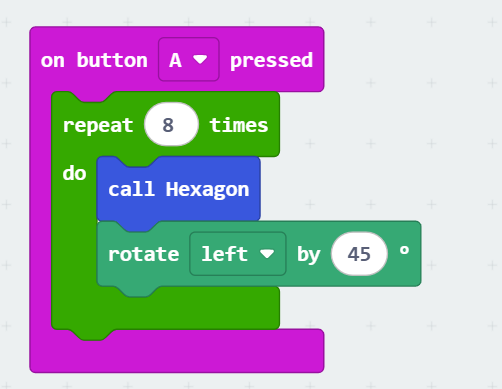
The created pattern consists of 8 regular hexagons. Since each full rotation is 360°, we need to rotate 360° / 8 (45°) after finishing each triangle.
1.
Create a function to draw a Hexagon ( Review Lesson 8 for more )
1.
Set up your Ziggy and change the values according to your robot
1.
On button A, repeat drawing the Hexagon 8 times
Challenge
Create your own artistic pattern using:
•
Circles
•
Triangles
•
Hexagons
Be creative and design your own digital artwork!