Lesson Overview
In this lesson, students explore lines in geometry and learn how lines connect points and help form shapes. Using Ziggy, the Turtle Robot, students will practice drawing different types of lines by controlling Ziggy’s movement with forward and backward blocks. Students will also learn how to measure the distance between two points and understand how lines are used in real life.
What You Will Learn
1.
Understand what lines are in geometry
2.
Identify different types of lines
3.
Learn how to use move blocks
4.
Measure the distance between two points
Exploring Lines in Geometry
Line
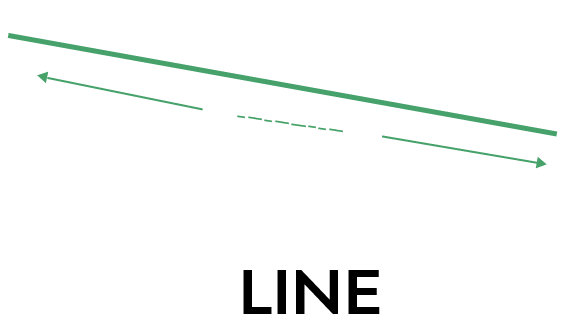
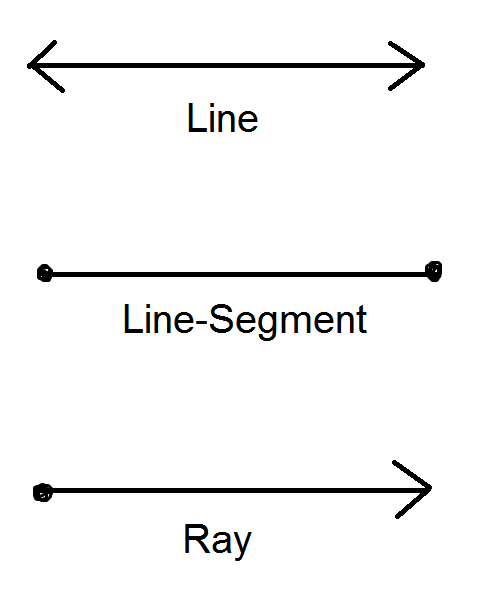
A line is a straight path made of many points. A line:
•
Extends endlessly in both directions
•
Has no beginning or end
•
Has no thickness
Line Segment
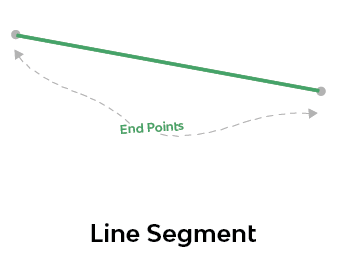
A line segment is a part of a line. It:
•
Has two endpoints
•
Has a clear beginning and ending
Ray
A ray is a part of a line that:
•
Has one endpoint
•
Extends endlessly in one direction
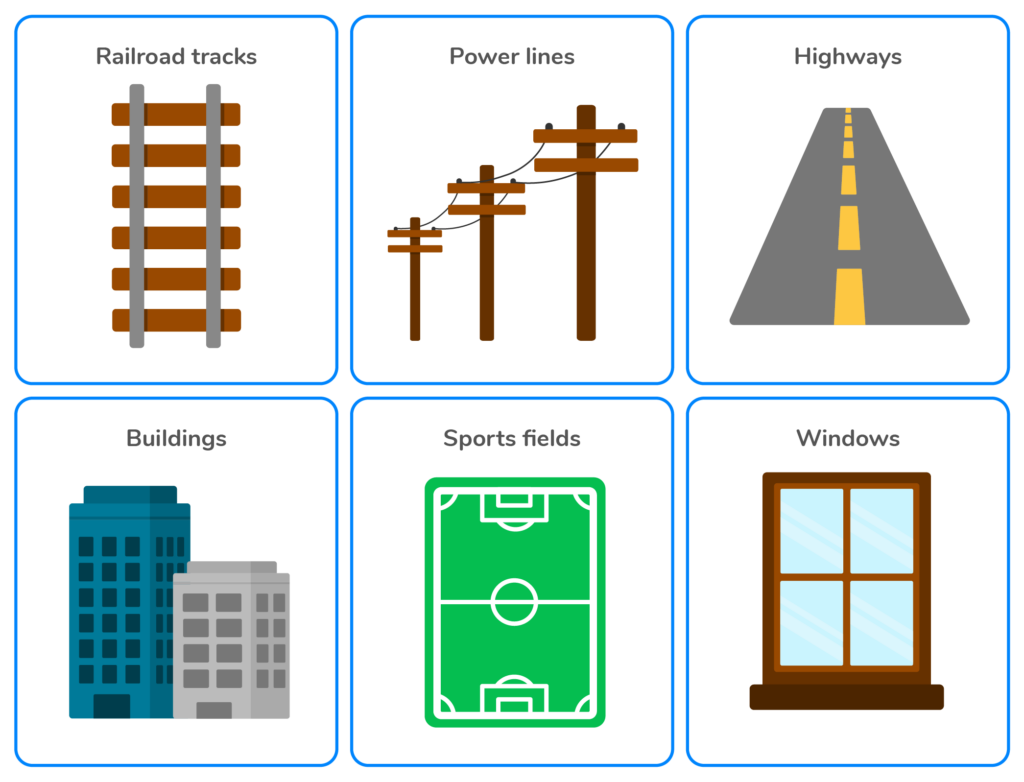
Lines Around Us
Did you know that straight lines are all around us?
Examples include:
•
Window edges
•
Book sides
•
Road markings
•
Rulers
Types of Lines
Geometry includes different types of lines that help us build shapes and polygons.
For example:
•
A triangle is made of 3 lines
•
A square is made of 4 equal lines
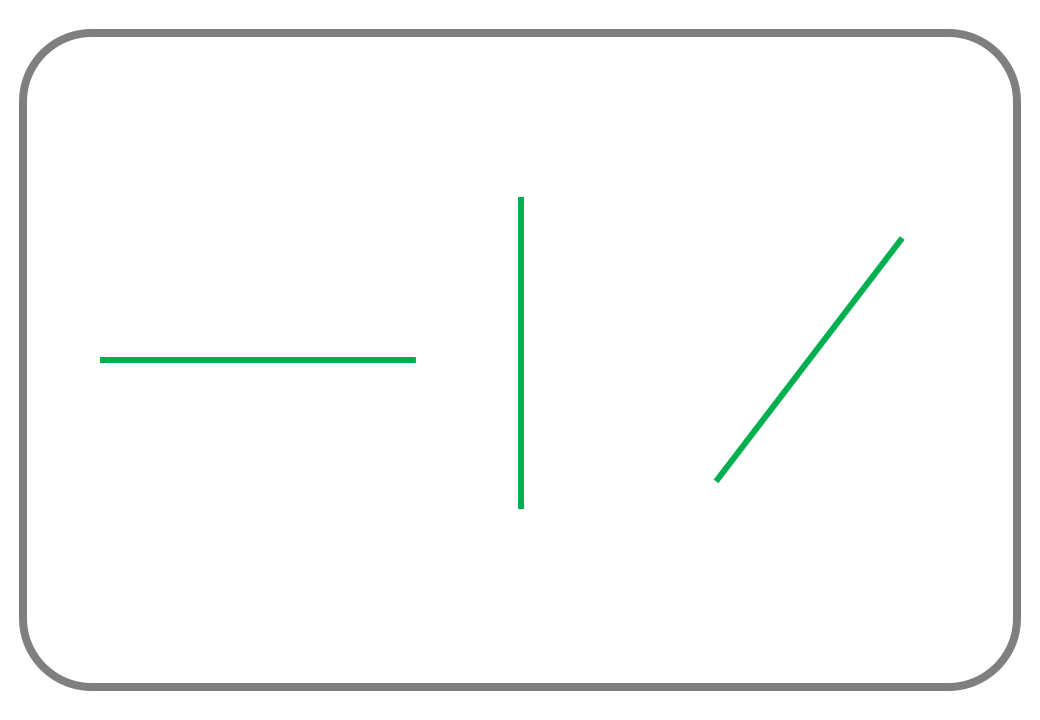
The three types of lines in this lesson are:
•
Horizontal Lines
•
Vertical Lines
•
Oblique Lines
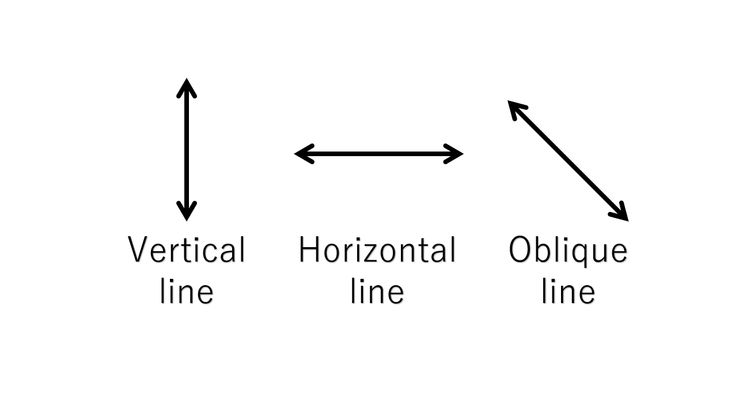
Notice the difference between the three types!
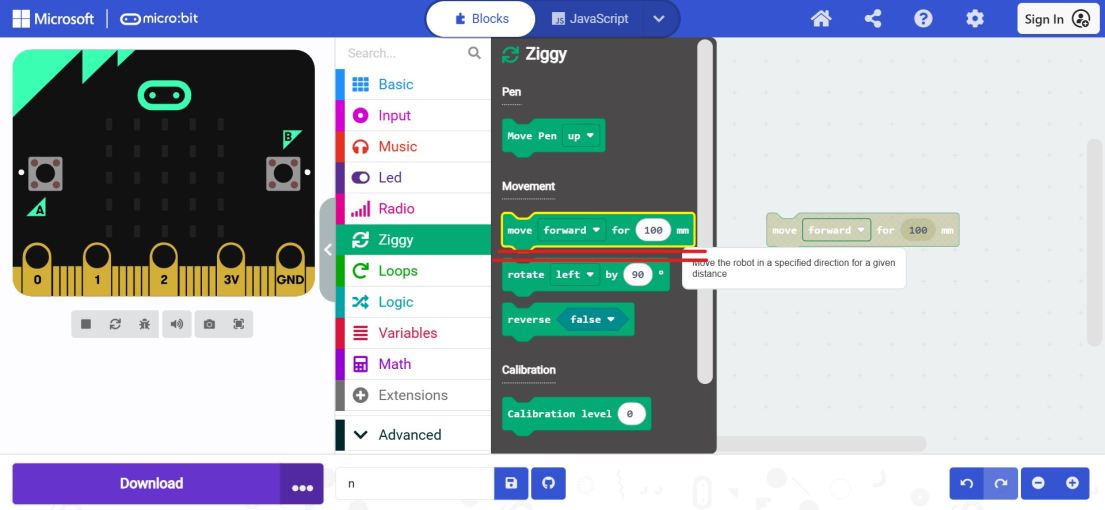
Move Forward Block
You can draw lines using Ziggy.
The Move Forward block:
•
Moves Ziggy forward in the direction it is facing
•
Change the distance in mm to control how far Ziggy moves
Activity 1: Draw a line
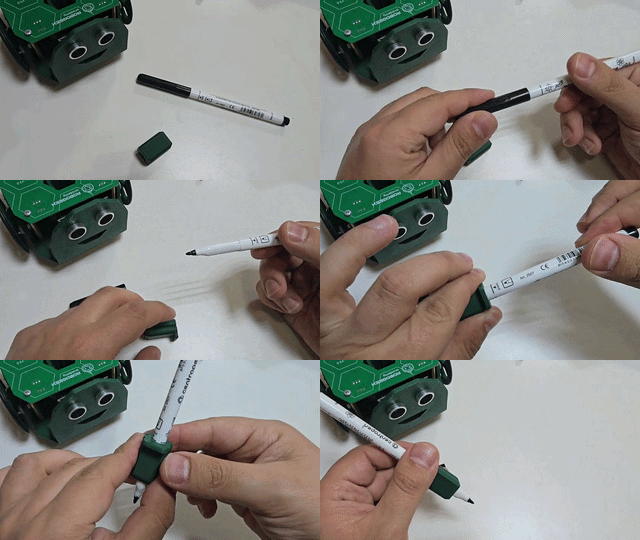
1.
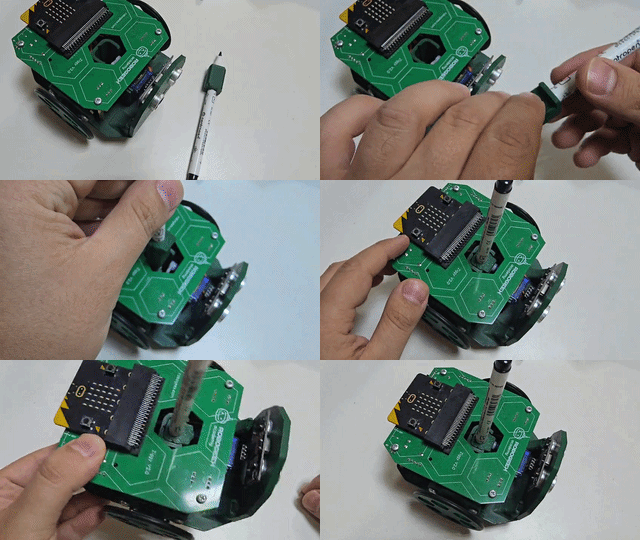
Insert the pen
1.
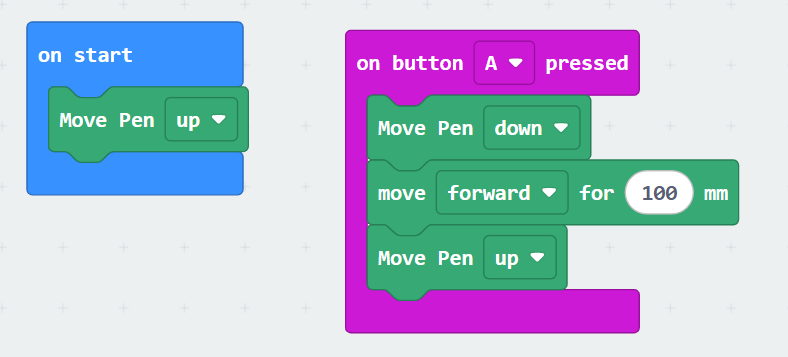
Ask Ziggy to draw a vertical line using the Move Forward block.
1.
Connect Ziggy and Upload the Code
2.
Put Ziggy on a white paper and press A button
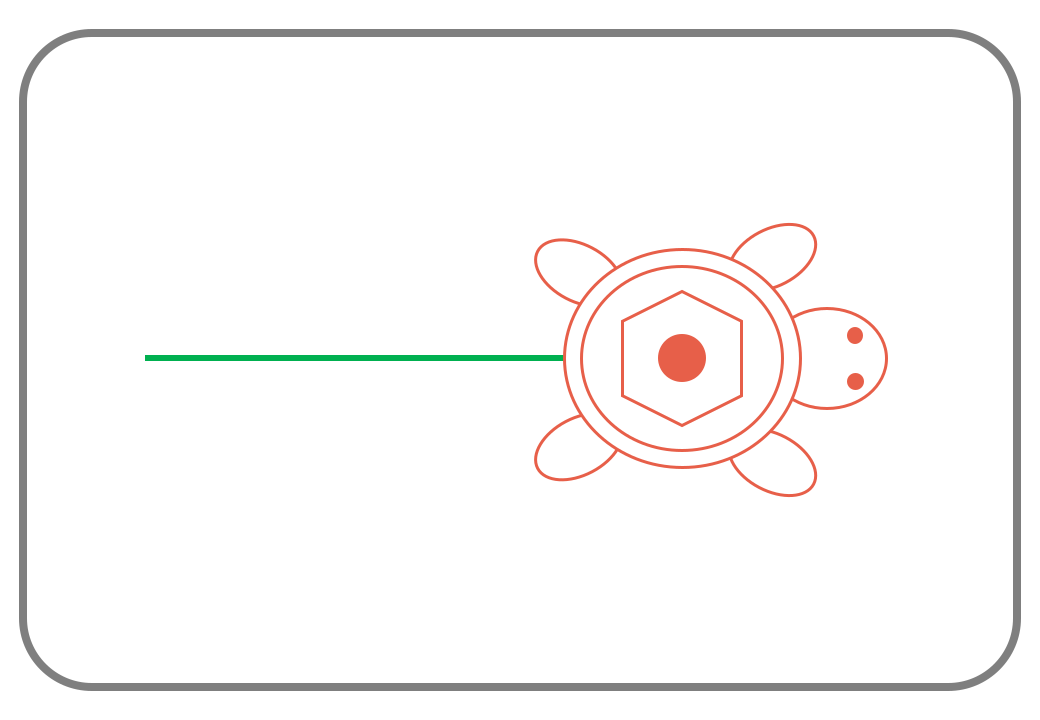
Notice the result on the paper
If Ziggy moves backward instead of forward, go to the next section.
Reverse Block
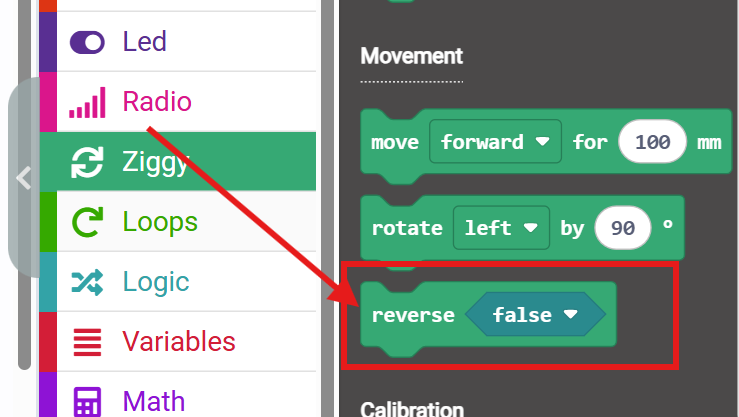
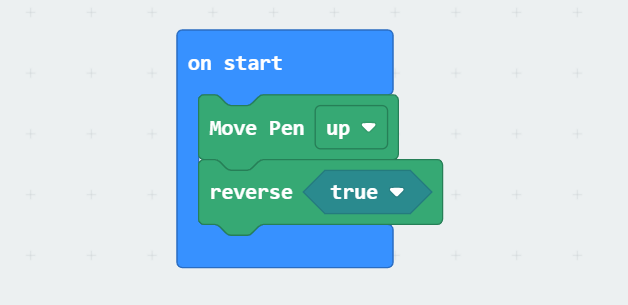
When using the forward block, Ziggy should move toward the face. If you noticed that the previous code makes the ziggy moves backward, instead of forward, you need to check two things:
1.
Check the connection and make sure the right and left motors are connected to the appropriate slots.
2.
If it is still not working, use the reverse block and set it to true to fix the direction.
Move Backward Block
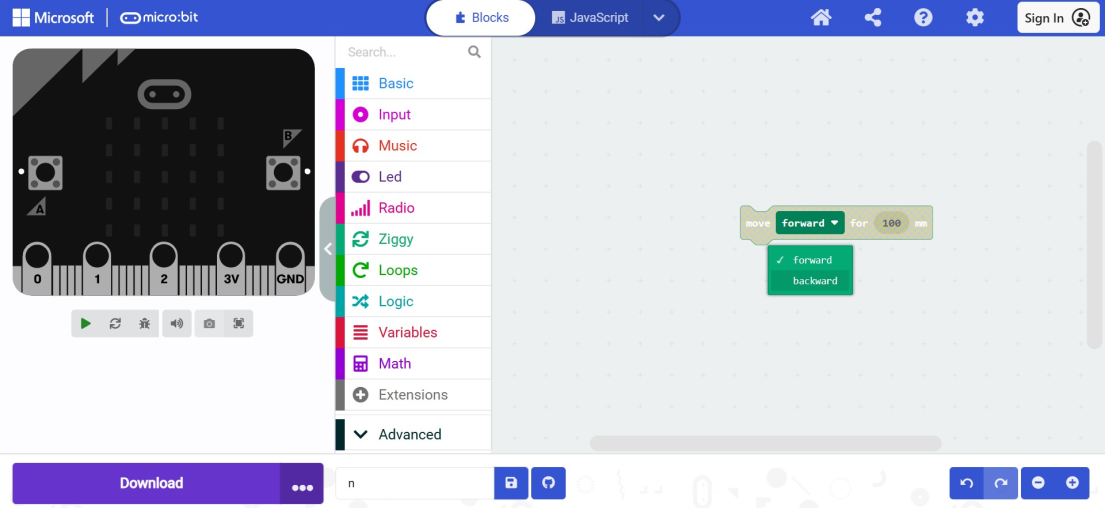
The move backward block :
•
Moves Ziggy backward.
•
Change the distance in mm to control how far Ziggy moves
Activity 2: Draw a line using the Backward block
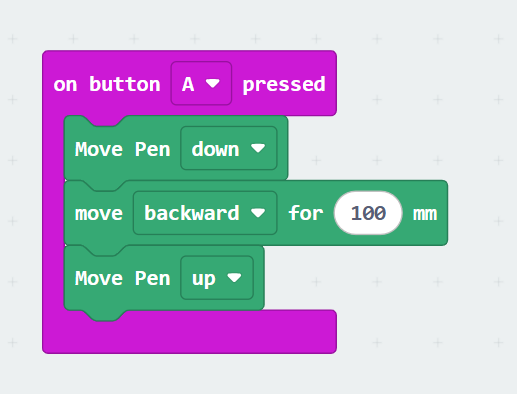
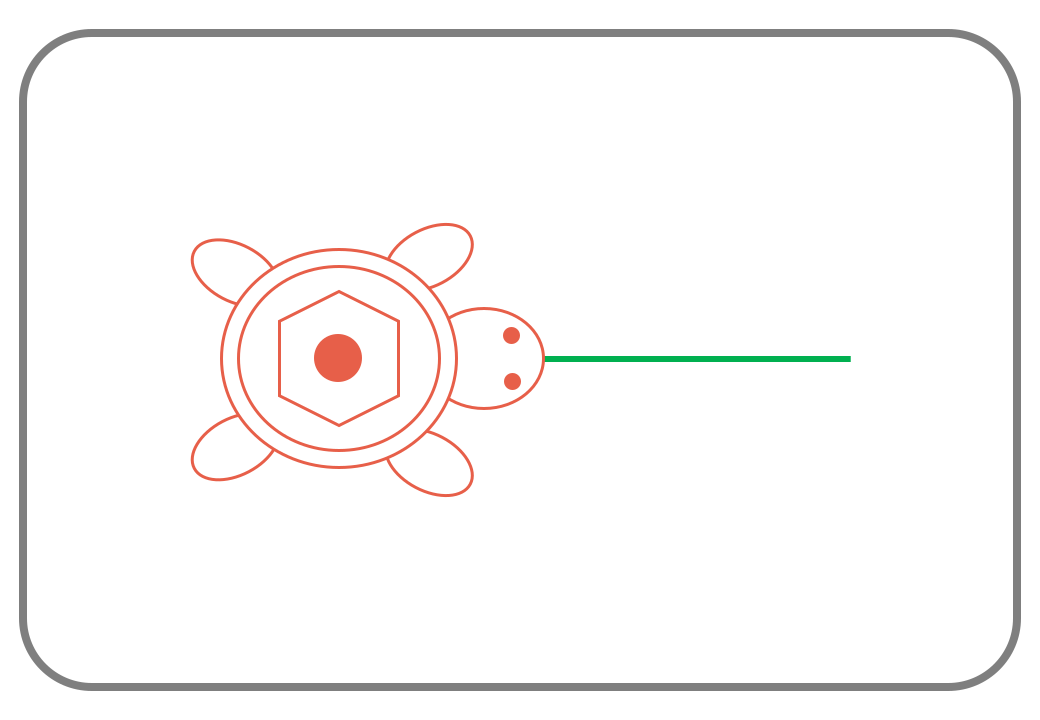
Ask Ziggy to draw a vertical line using the Move Backward block.
Distance Between Two Points
The distance between two points is the length of the line segment connecting them.
•
Example: The length of the line segment connecting point A and point B
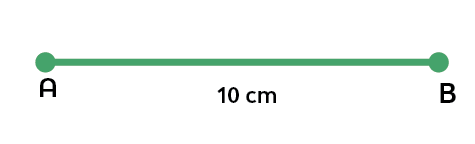
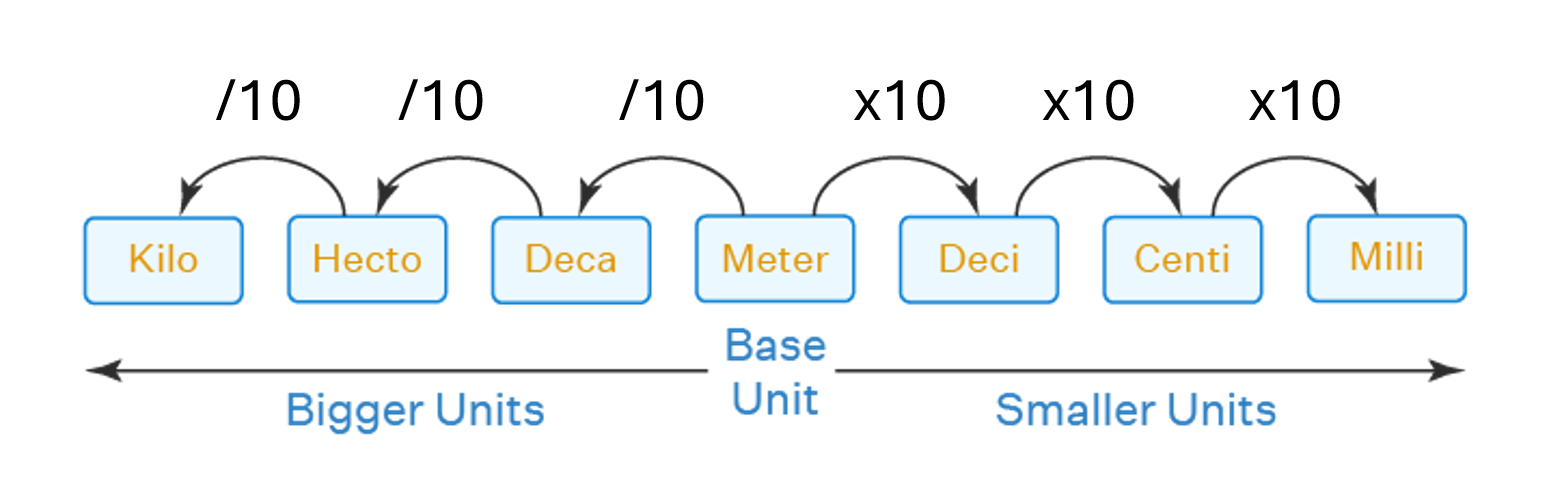
Ziggy is using the millimetre unit to identify the lengths
10 mm is equal to 1 cm. ( See your ruler, each division is called 1 mm )
Units of Length
Challenge
Draw all types of lines ( Horizontal, Vertical, Oblique) by moving and rotating Ziggy in the right direction.