Lesson Overview
In this lesson, students will learn how to create and use functions in programming. Functions help make code shorter, smarter, and easier to manage. Using Ziggy the Turtle, students will create functions to draw letters and combine them to write words and names.
What You Will Learn
•
Understand the concept of functions
•
Learn how to create and call functions in MakeCode
•
Use functions with Ziggy to draw letters
•
Reuse functions to make code simpler and cleaner
Functions
A function is like a small program that performs a specific task.
Functions are useful because:
•
They organise your code
•
They save time
•
They allow you to reuse code
Example: If you want to draw a square many times, instead of repeating the same blocks, you can create a function called draw_square and use it whenever you need it.
Creating and Calling Functions in MakeCode
How to Create a Function
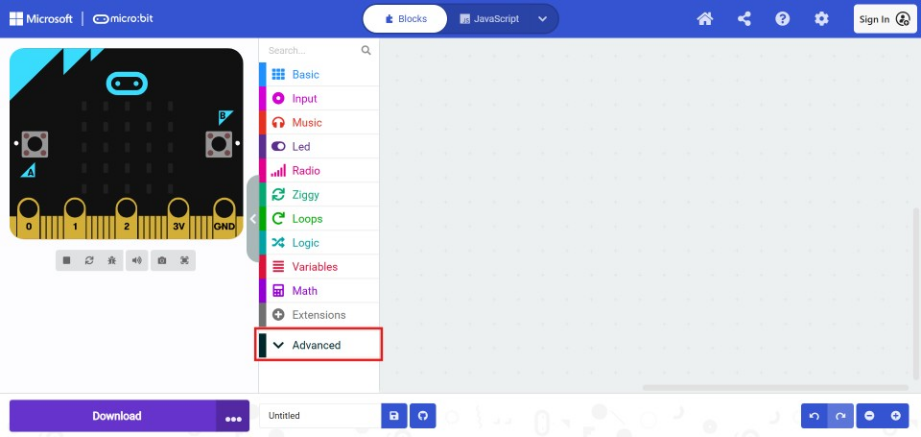
Step 1: Go to Advanced
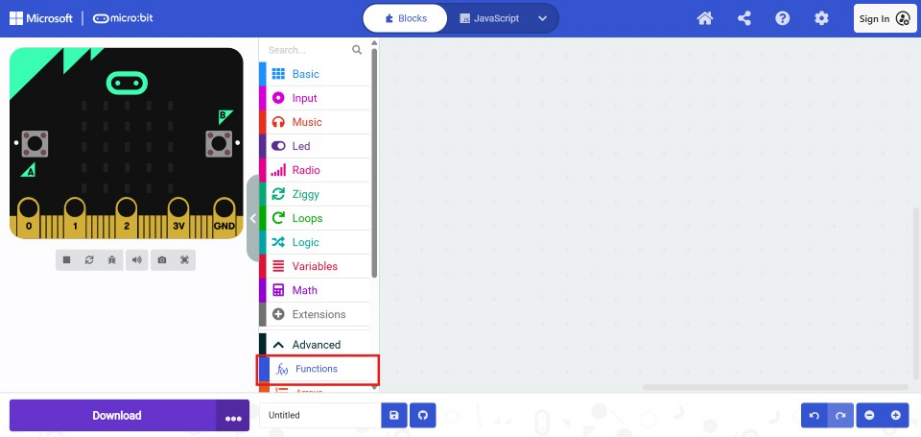
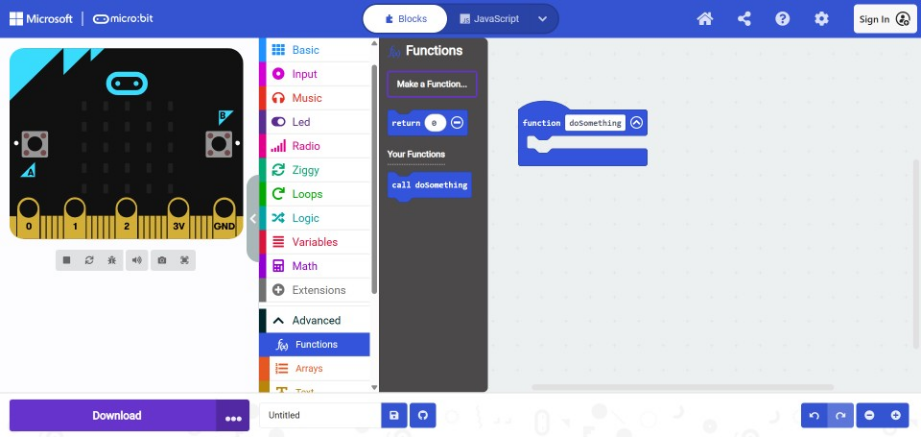
Step 2: Open the Functions section
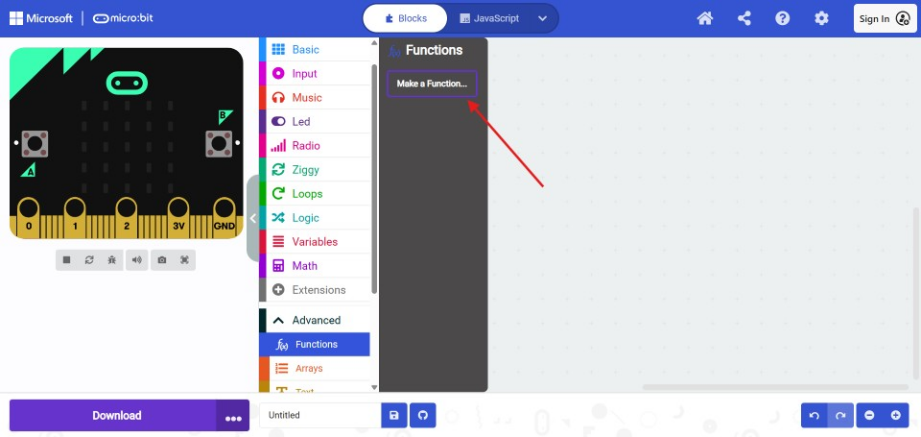
Step 3: Click Make a Function
Step 4: Give your function a name and then click done
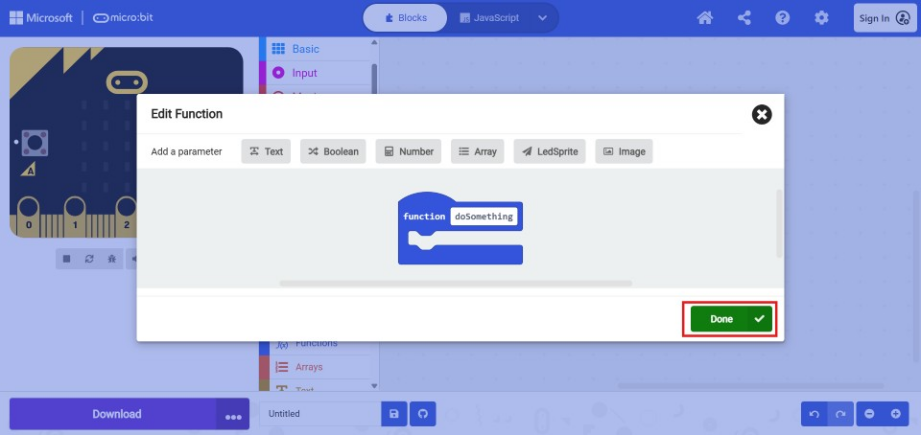
Step 5: Put your code inside the function block
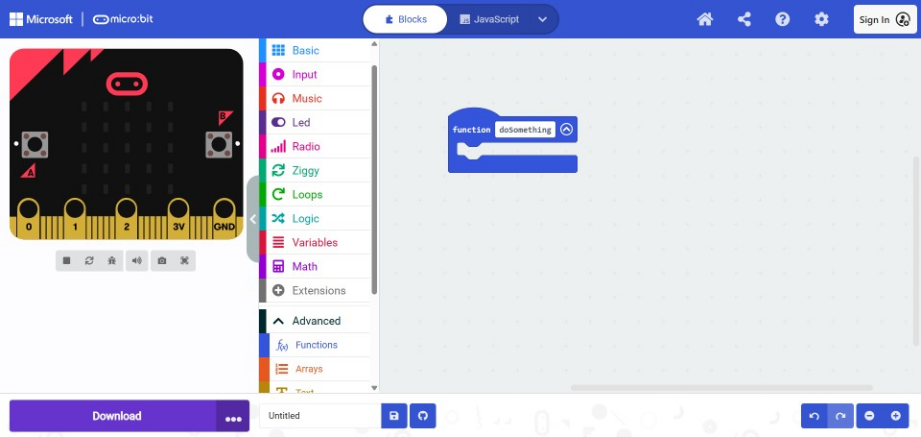
Calling a Function
•
When you create a function, MakeCode automatically creates a call block
•
Drag the call function block to run the code inside the function
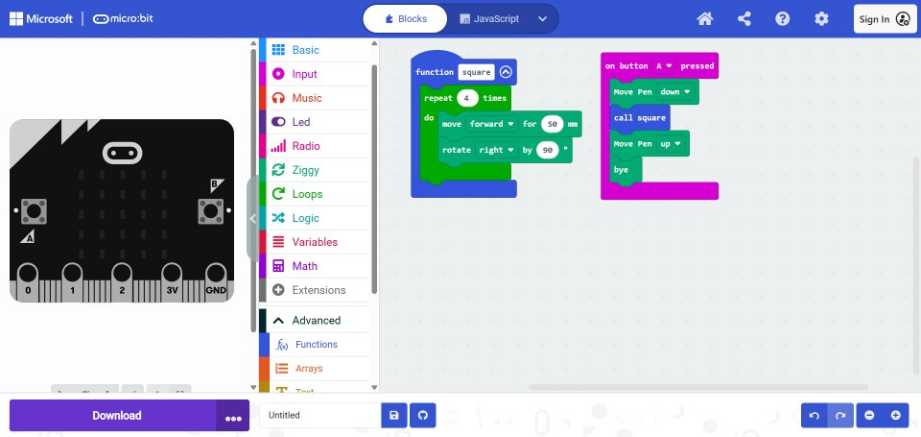
For example:
The following code uses a function to create a square and uses when button A is pressed.
Activity 1: Drawing the Letter A
Use a function to draw the letter A.
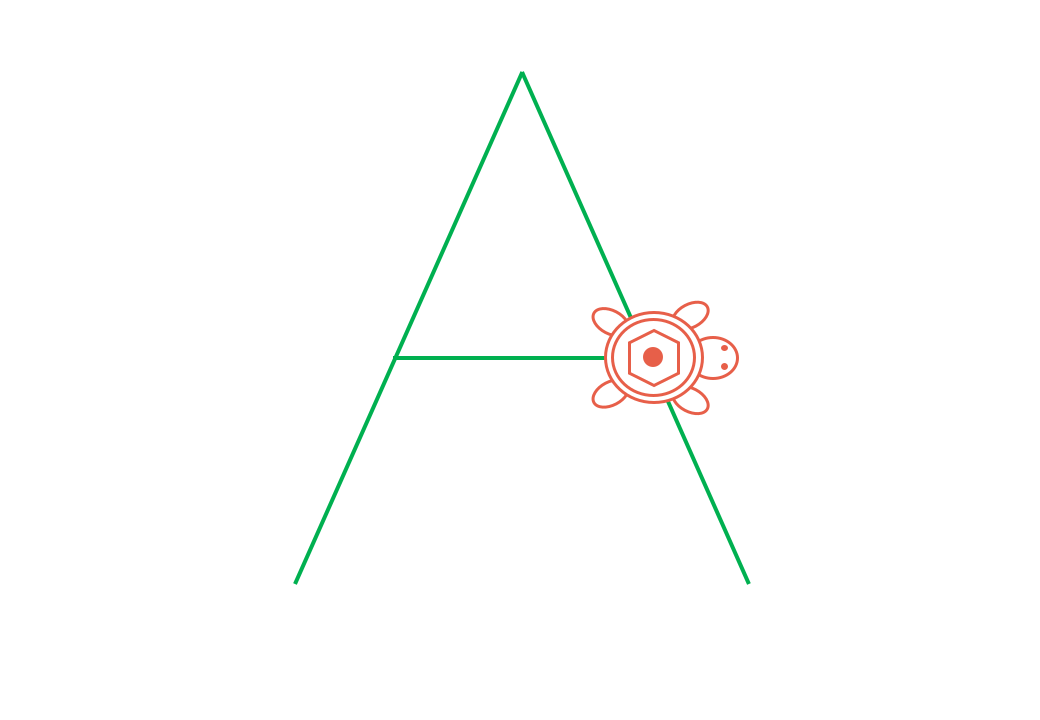
Steps:
Step 1: Create a function and name it A
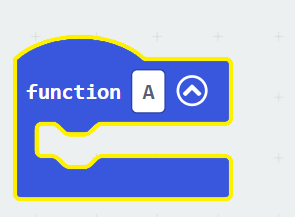
Step 2: Add pen up, movement, and turn blocks inside the function.
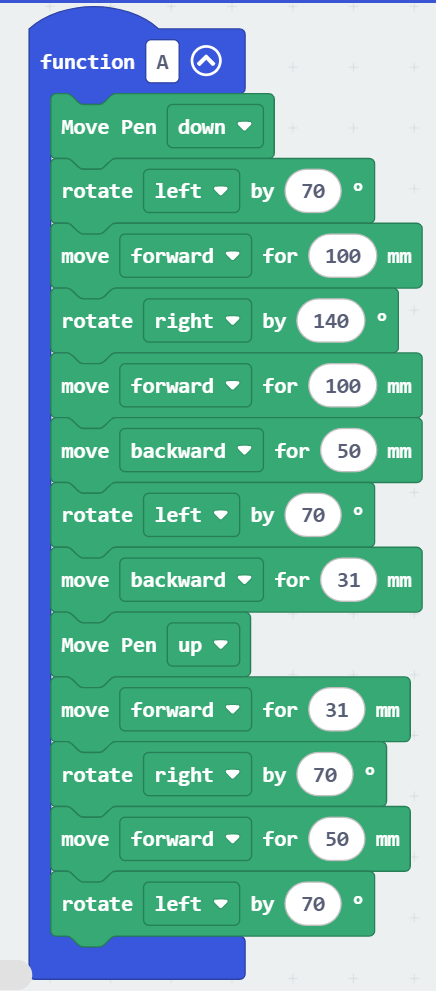
Step 4: Call the function A when button A is pressed
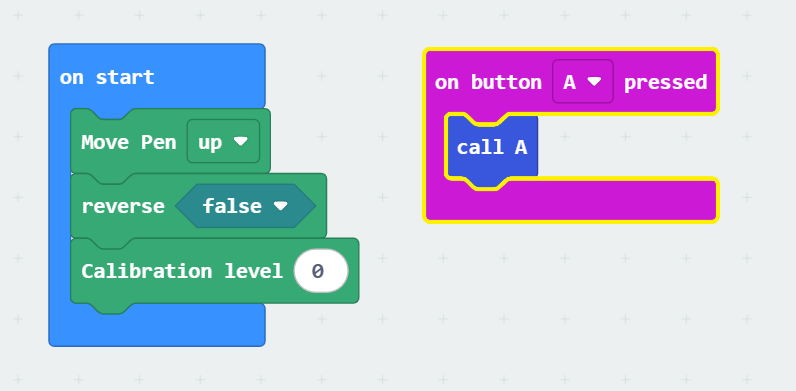
Activity 2: Writing Your Name with Ziggy
Use functions to draw the letters of your name.
Example: Writing AYA
Steps:
Step 1: Use the previous code to use the A letter function
Step 2: Create a function called Y and use the move and turn blocks to draw the letter
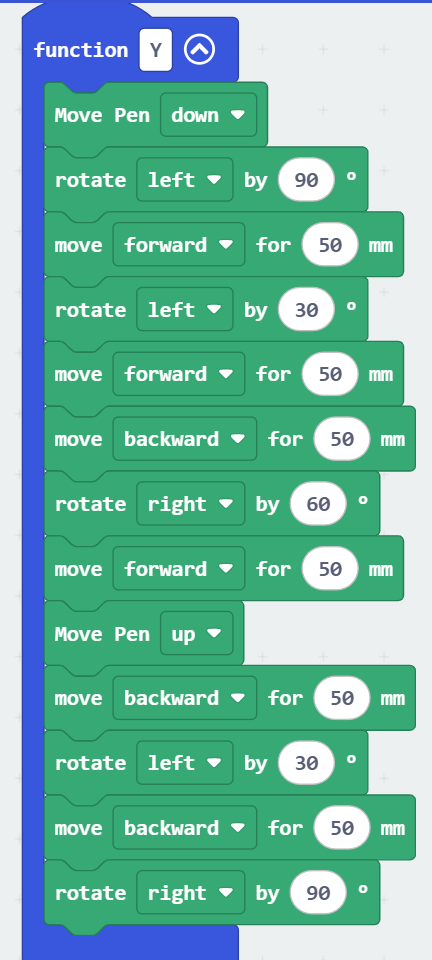
Step 3: Use call Y to draw the letter
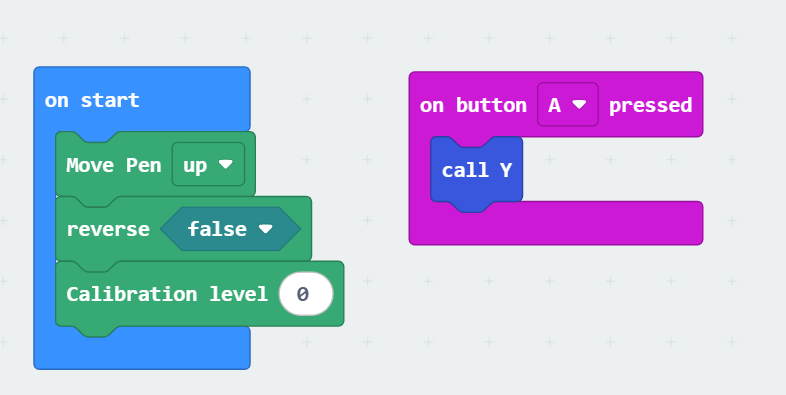
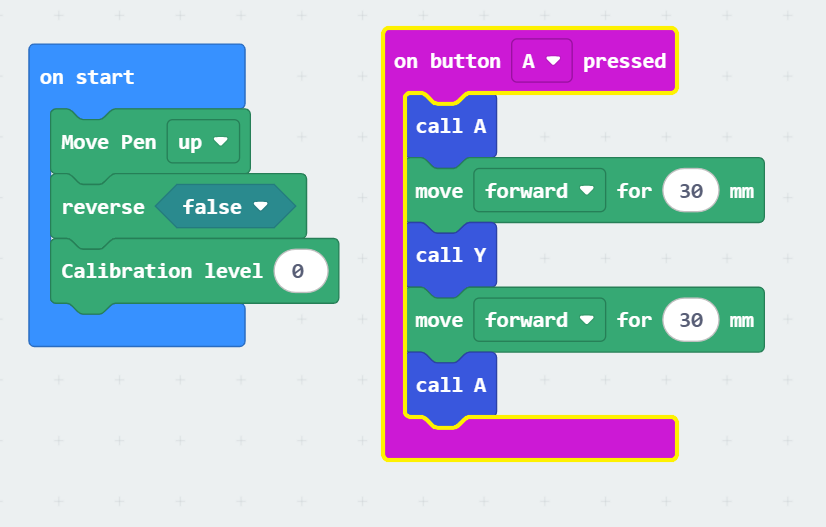
Step 5: Combine functions A + Y + A to write the name
Tip: If a letter is repeated, just call the same function again instead of rewriting code.
Note:
To leave space between letters, move forward 30 st

Challenge
Be creative!
•
Draw the letters of your name.
•
Combine the functions to write your full name.