Lesson Overview
In this lesson, students explore geometric shapes, learn their properties, and program Ziggy the Turtle to draw rectangles and squares. Students will also learn an important programming tool called the Repeat Block (Loops), which helps make the code shorter and more efficient.
What You Will Learn
•
Students will learn about different types of geometric shapes.
•
Students will learn the properties of rectangles and squares.
•
Students will learn how to draw rectangles and squares using Ziggy.
•
Students will learn how to use the Repeat Block to simplify code.
Exploring Shapes in Geometry
1.
A shape is any 2D or 3D figure that has a boundary or an outline.
2.
Shapes can be identified by the number of sides, angles, and the length of their sides.
3.
Examples of geometric shapes include circles, triangles, rectangles, squares, cubes, and cones.
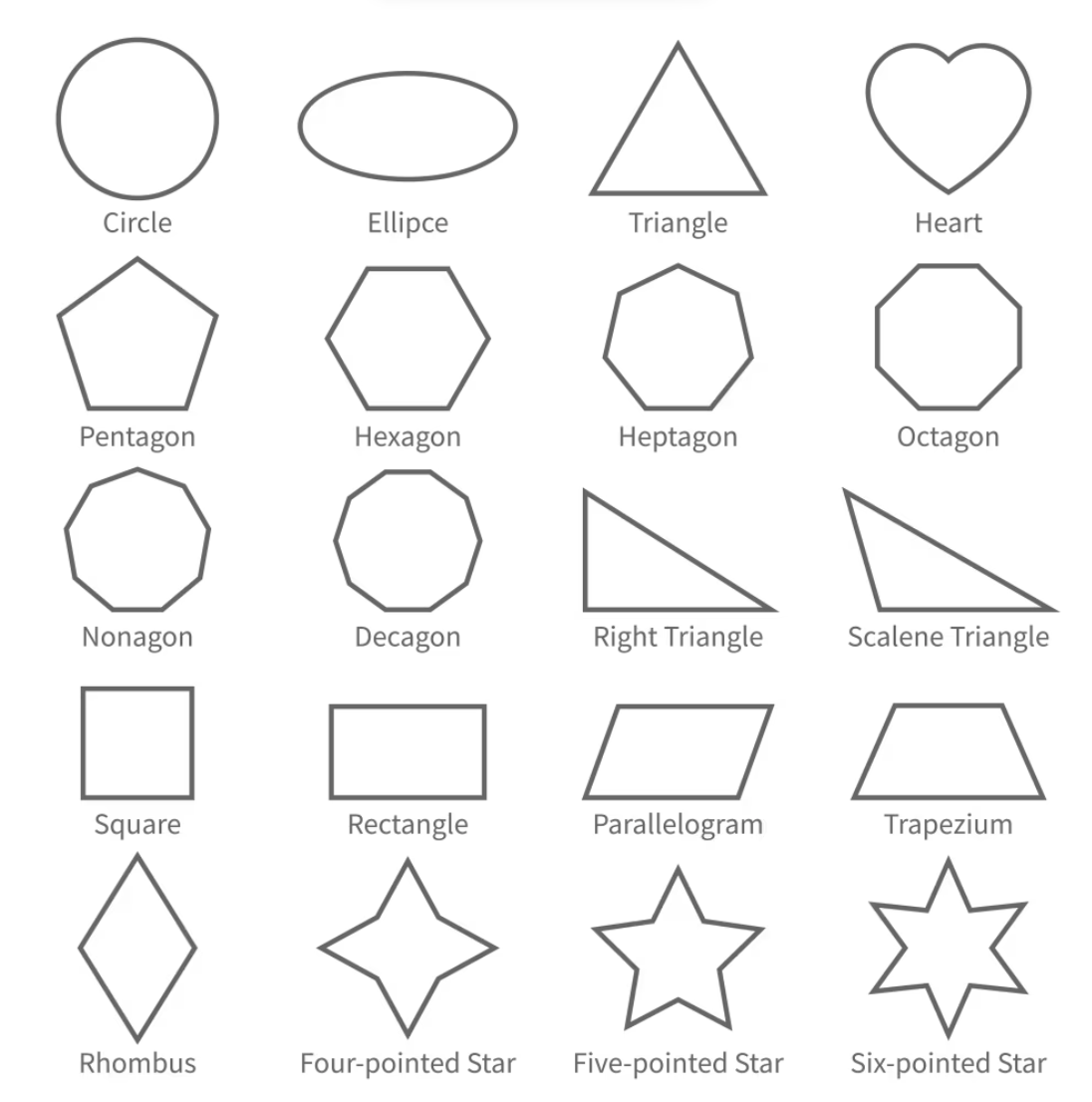
Shapes Around Us
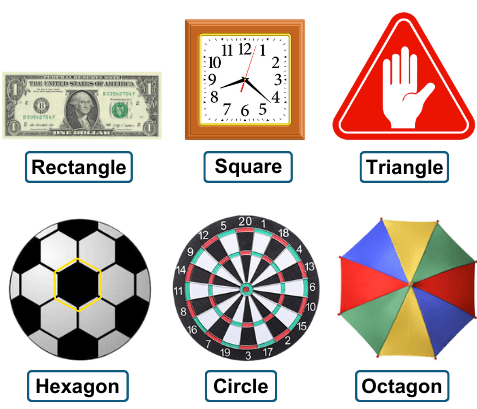
Shapes exist everywhere around us in our daily life. Examples include credit cards, mobile phones, windows, photo frames, and balloons.
Open and Closed Shapes
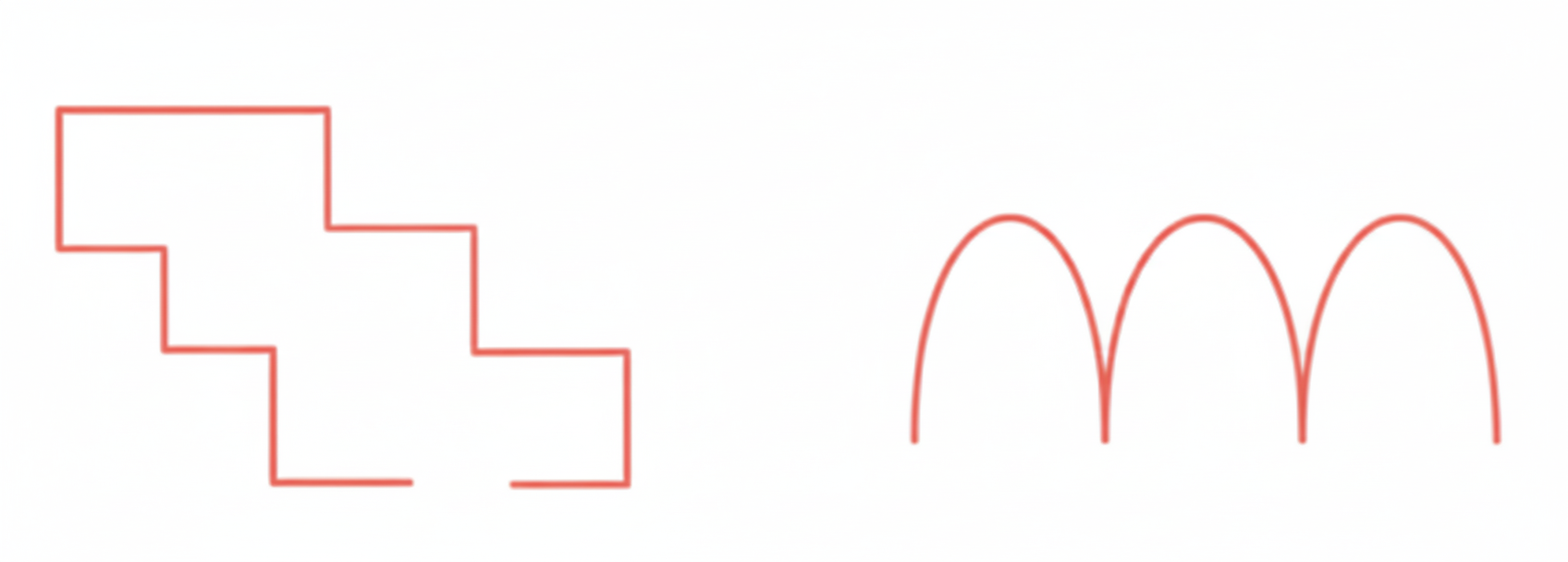
Open shapes
Open shapes are shapes in which the lines or curves do not meet at their ends. Examples of open-shaped letters include C, L, M, U, V, and Z.
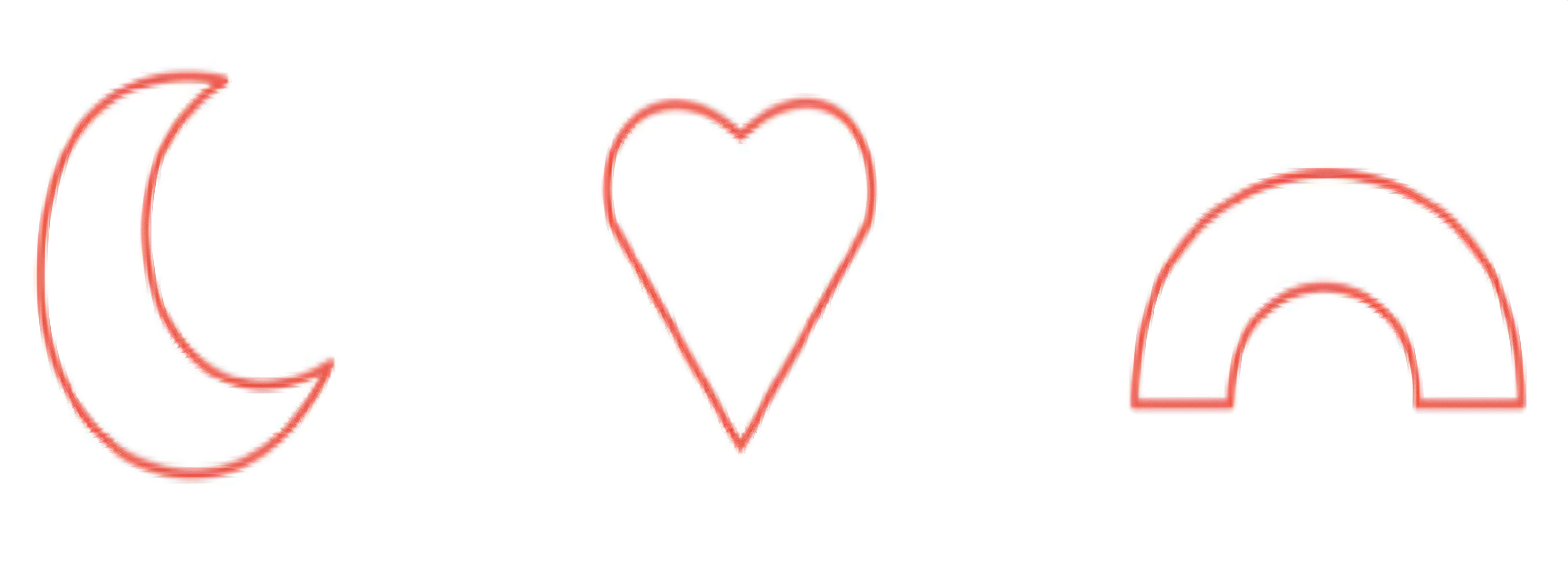
Closed shapes
Closed shapes are shapes where the lines or curves connect together to form a complete enclosed figure. Examples of closed-shaped letters include : O, D, and B.
Regular and Irregular Shapes
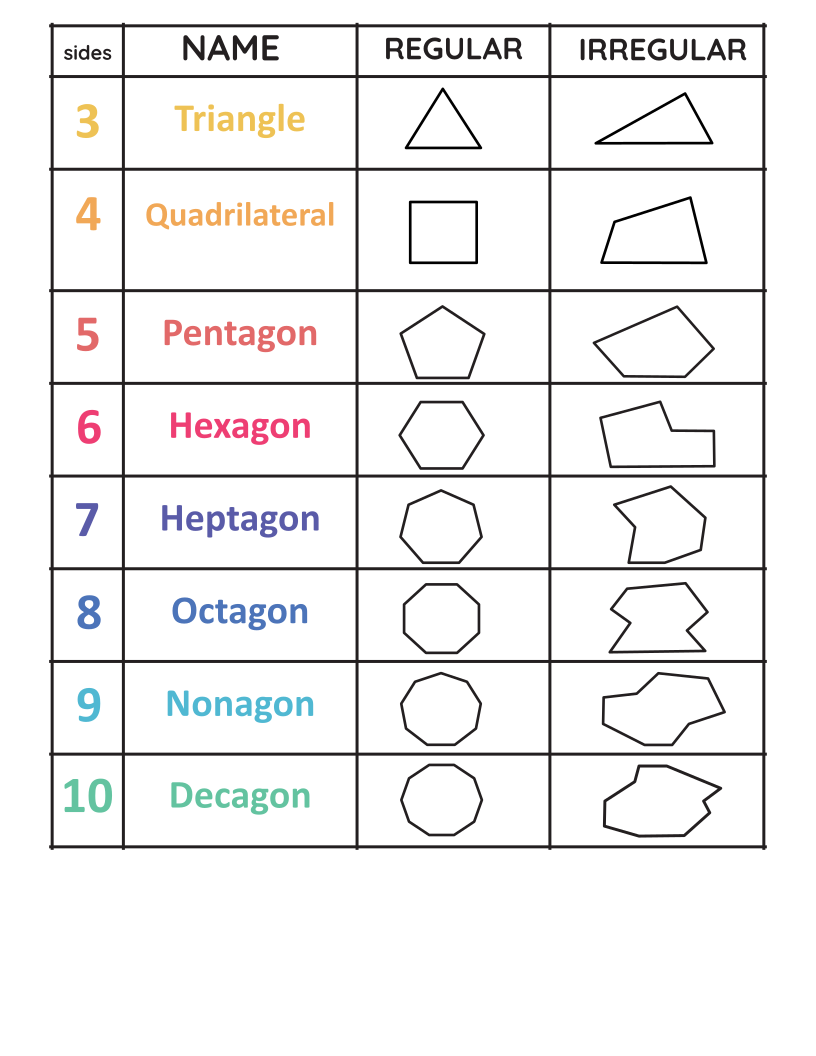
Regular shapes
Regular shapes have all sides equal. Example: Square, Regular Hexagon
Irregular shapes
Irregular shapes have sides of different lengths. Example: Scalene Triangle
Rectangle
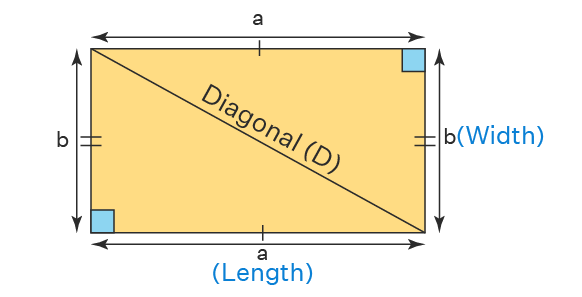
A rectangle has opposite sides equal and parallel, and all angles equal to 90°.
You can find rectangles in many objects around you, like:
•
TV
•
Book
•
Cellophone
Drawing Rectangle with Ziggy
Step 1:
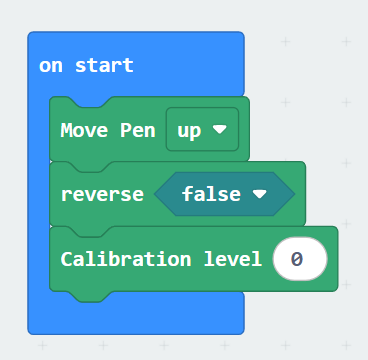
Start by setting your ziggy using Pen Up, Calibration and Reverse blocks ( adjust the calibration as shown in the Getting Started )
Step 2:
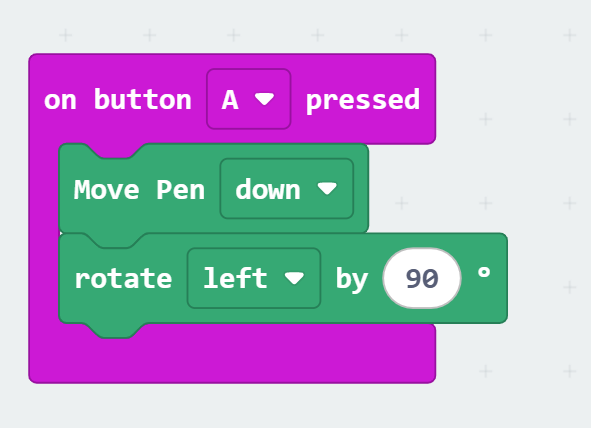
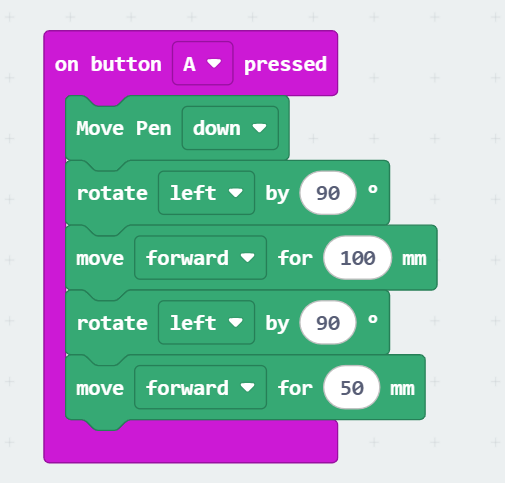
Use the Event on A pressed, Move pen down, and turn Ziggy to the left by 90°.
Step 3:
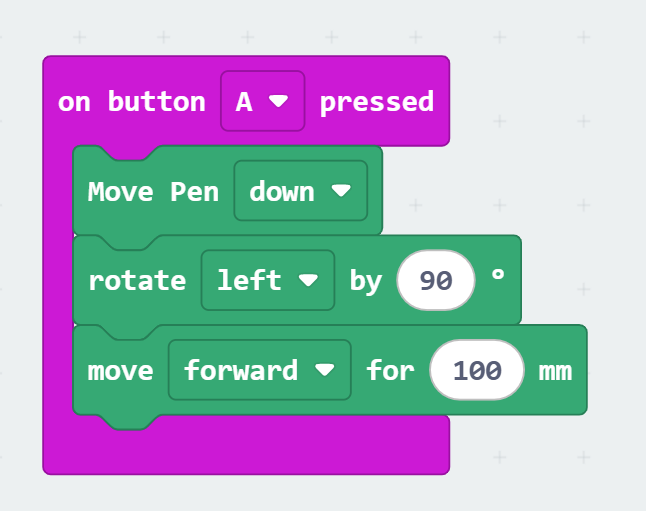
Move Forward by 100 mm.
Step 4:
Rotate left 90° and move forward by 50 mm
Step 5:
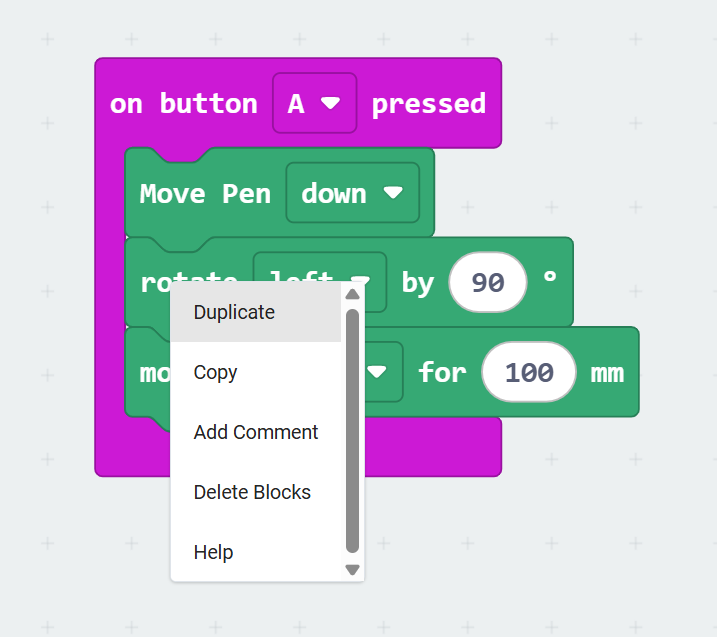
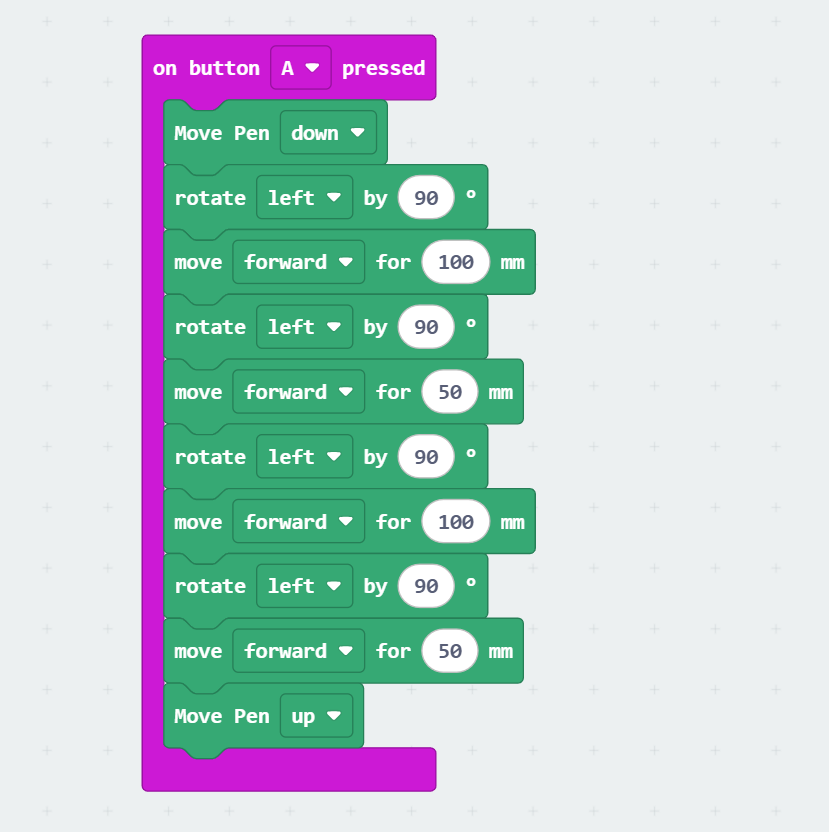
Repeat Steps 3 & 4 by copying "rotate and move" blocks 2 times by right-clicking on the block and pressing duplicate. Insert Pen Up at the end.
Step 5:
Download and Test. If the rectangle is not closed well, you have to calibrate the angle using the calibration block. See the following video.

Repeat Block (Loops)
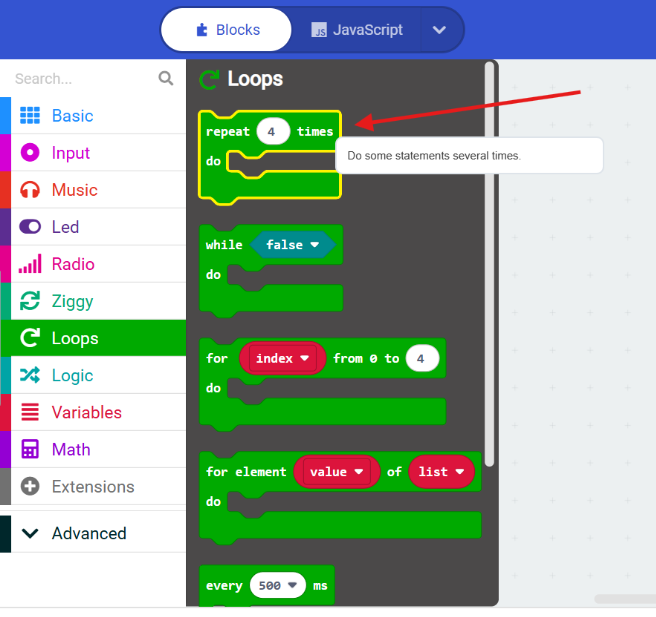
Repeat block runs commands automatically many times.
Example:
Instead of repeating commands manually → use Repeat 2.
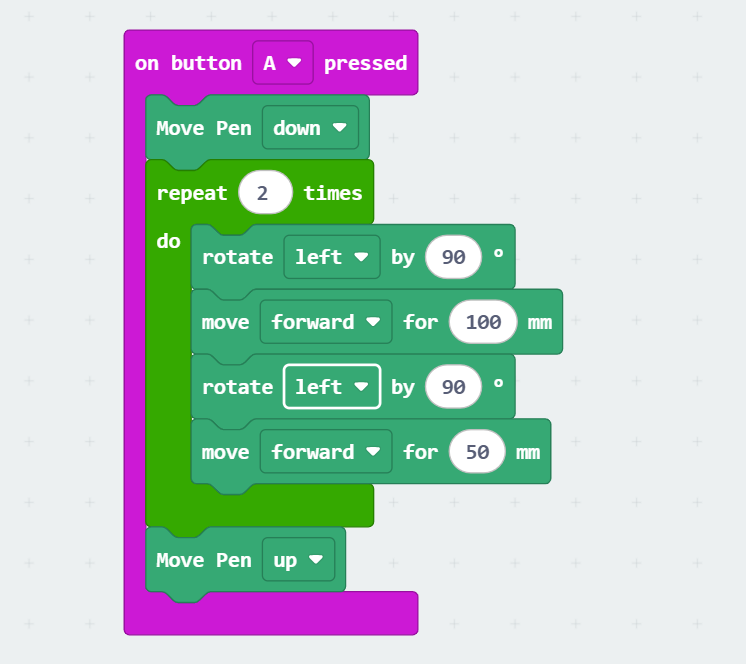
Drawing a Rectangle Using a Loop
Use the Repeat block to draw the sides of a rectangle automatically.
Square
A square has four equal sides and four right angles (90°). Opposite sides are parallel.
Real-life examples:
•
Dice
•
Window
•
Ice cube
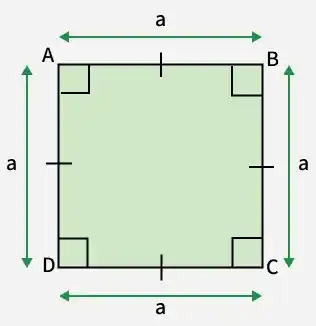
Difference between a rectangle and a square
Rectangle → Two long sides and two short sides
Square → All sides equal. Real-life rectangles:
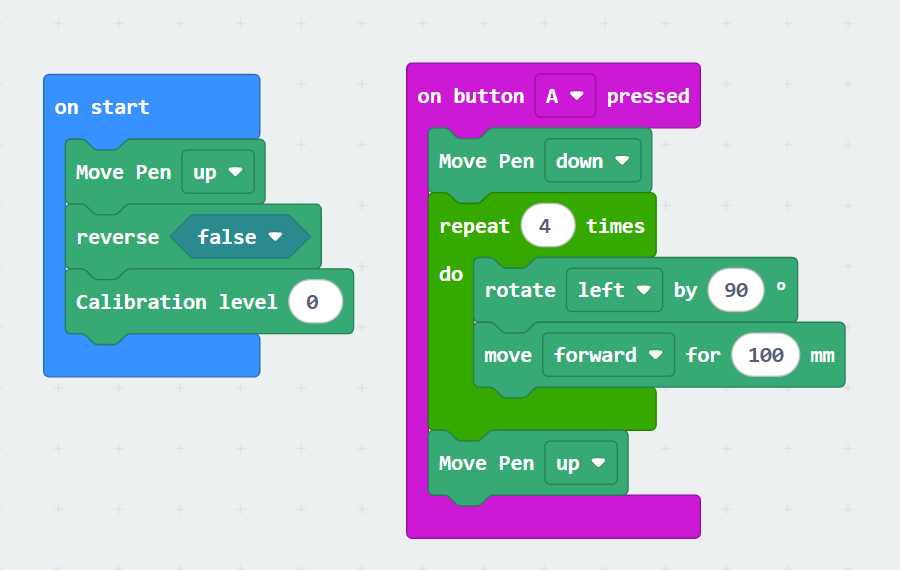
Drawing Square with Ziggy
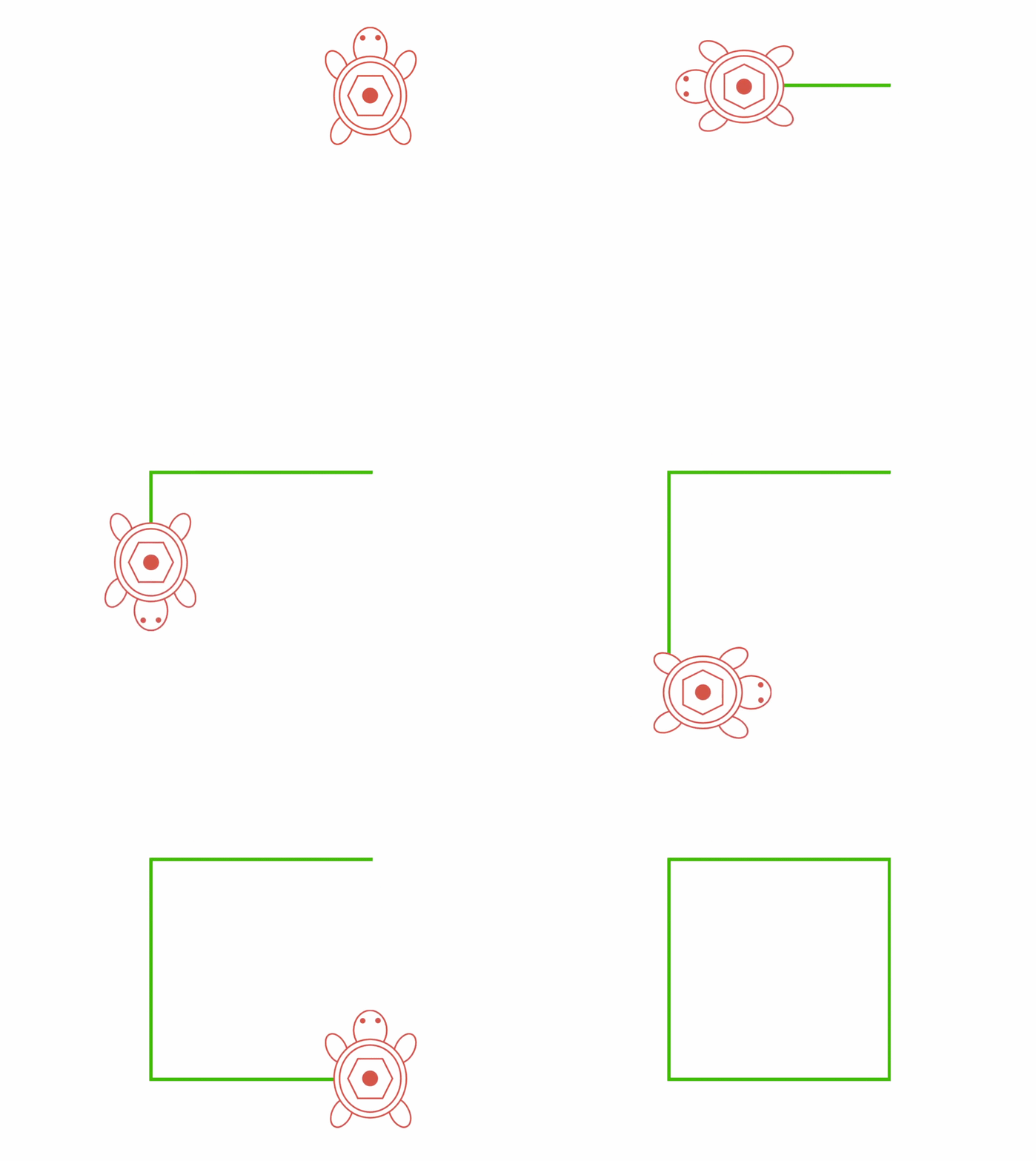
Make the following code to draw a square. Notice how the repeat block is used.
Download and test.
Challenge
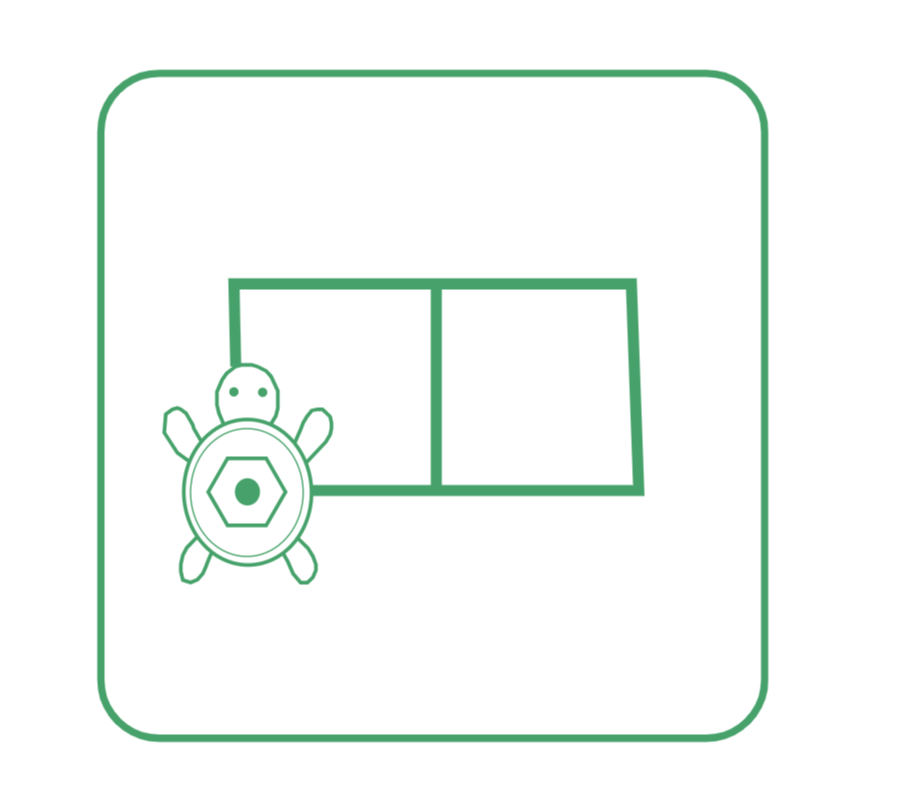
Draw the following shapes using the acquired knowledge.