
Lesson Overview
In this lesson, learners will explore how robots can be used to create artistic drawings. Using Ziggy the Turtle Robot, learners will program the robot to move in specific paths that form beautiful shapes such as a heart and a flower.
By controlling Ziggy’s movements—moving forward, turning, and repeating patterns—learners will understand how programming instructions can translate into drawings on paper. This activity combines creativity, geometry, and robotics, allowing learners to see how technology can be used to create art.
Through experimentation and practice, learners will discover how small changes in angles, distances, and repetitions can create different artistic shapes.
What Will You Learn
By the end of this lesson, learners will be able to:
•
Create artistic shapes, such as a heart and a flower using programmed paths
•
Apply repetition (loops) to generate patterns and petals
•
Improve logical thinking and creativity through robotics drawing activities
•
Understand the connection between art, geometry ,and robot movement
Real-Life Applications and Examples
Geometry and art are often combined in real life to create beautiful designs.
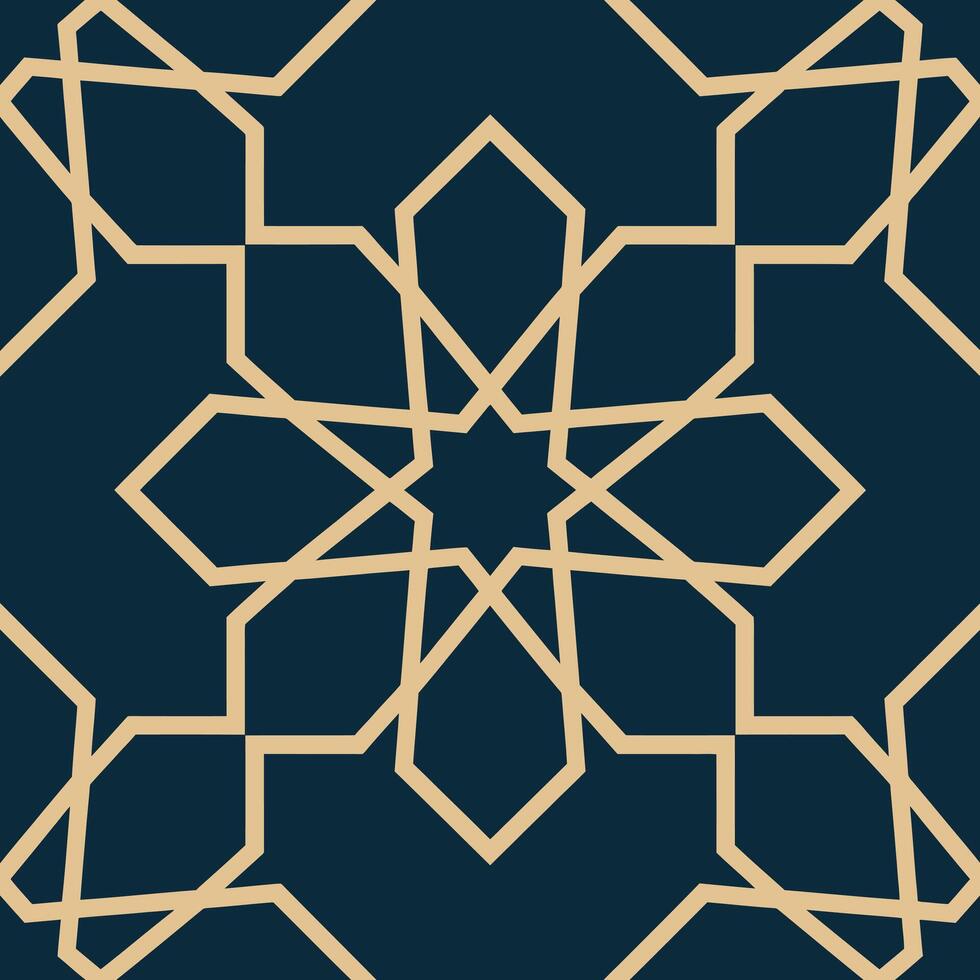
Mandala and Islamic Geometric Art
Repeating shapes such as stars, circles, and polygons are used to create artistic patterns.
Architecture and Design
Buildings, windows, and tiles often use geometric shapes for both beauty and structure.

Logo Design
Designers use simple shapes such as circles, triangles, and lines to create strong visual identities.
These examples show how geometry can be used creatively in art and design.

Activity 1: Heart Drawing
Drawing Concept:
•
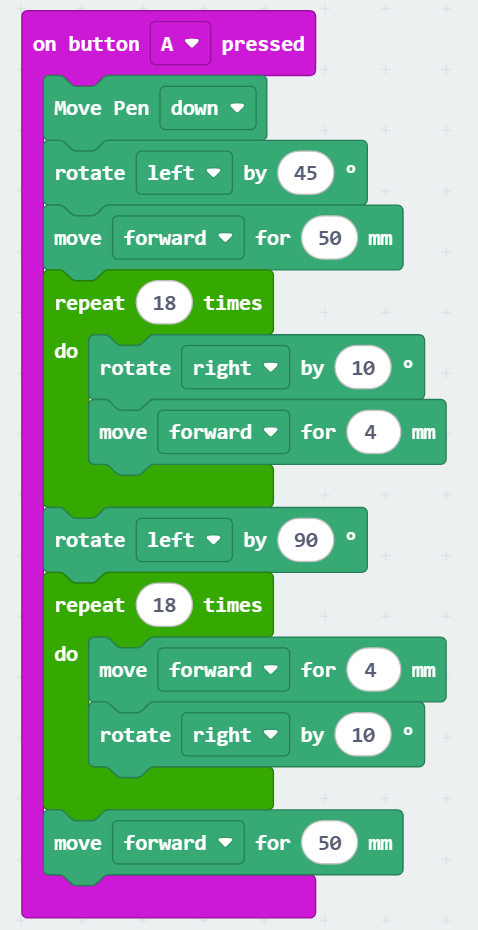
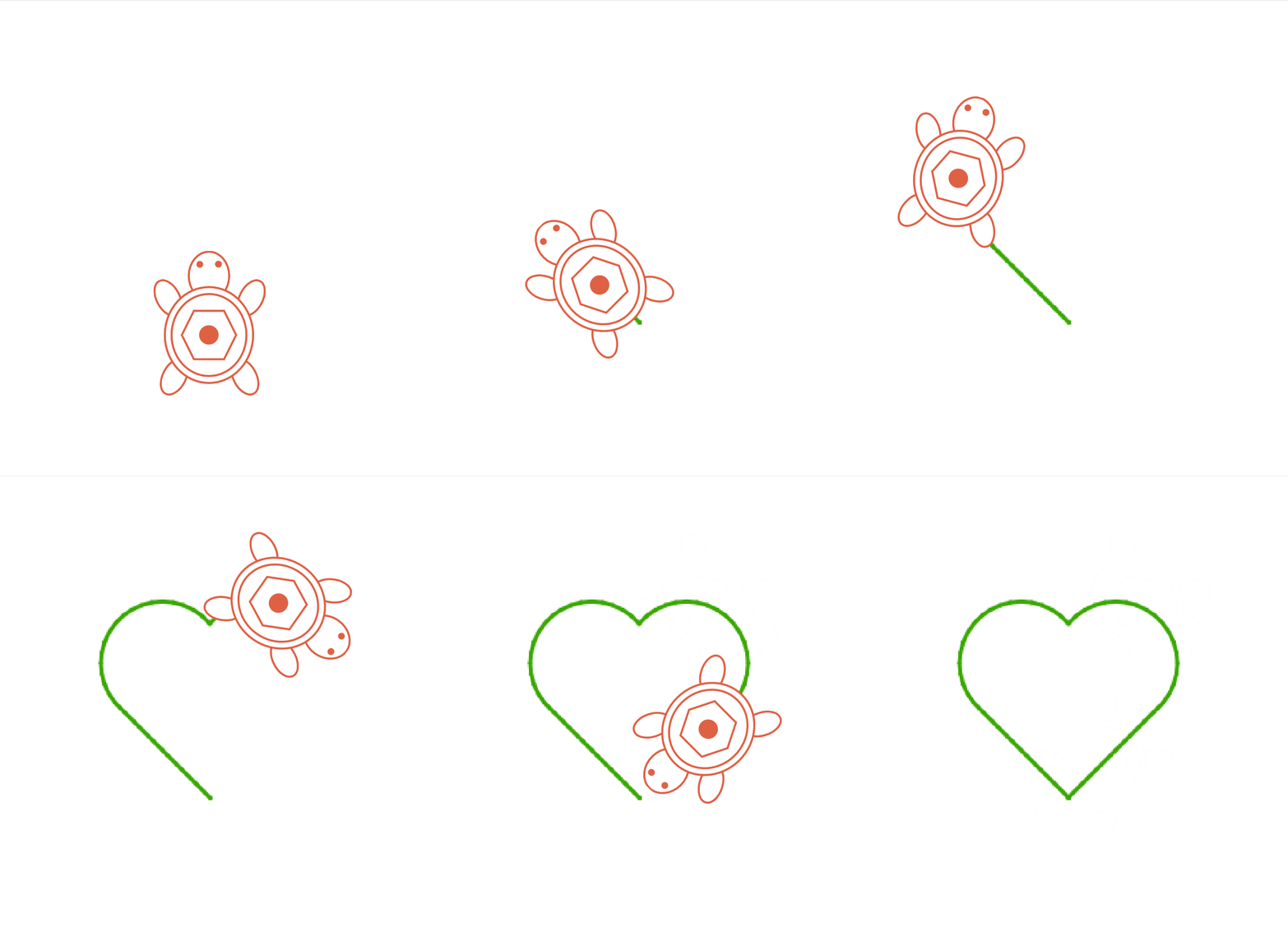
Use lines and curves to form a heart.
•
Draw a heart with your hand on a piece of paper and analyse it.
•
The heart consists of two half-circles and two intersecting lines.

Activity 2: Flower Design
Drawing Concept:
•
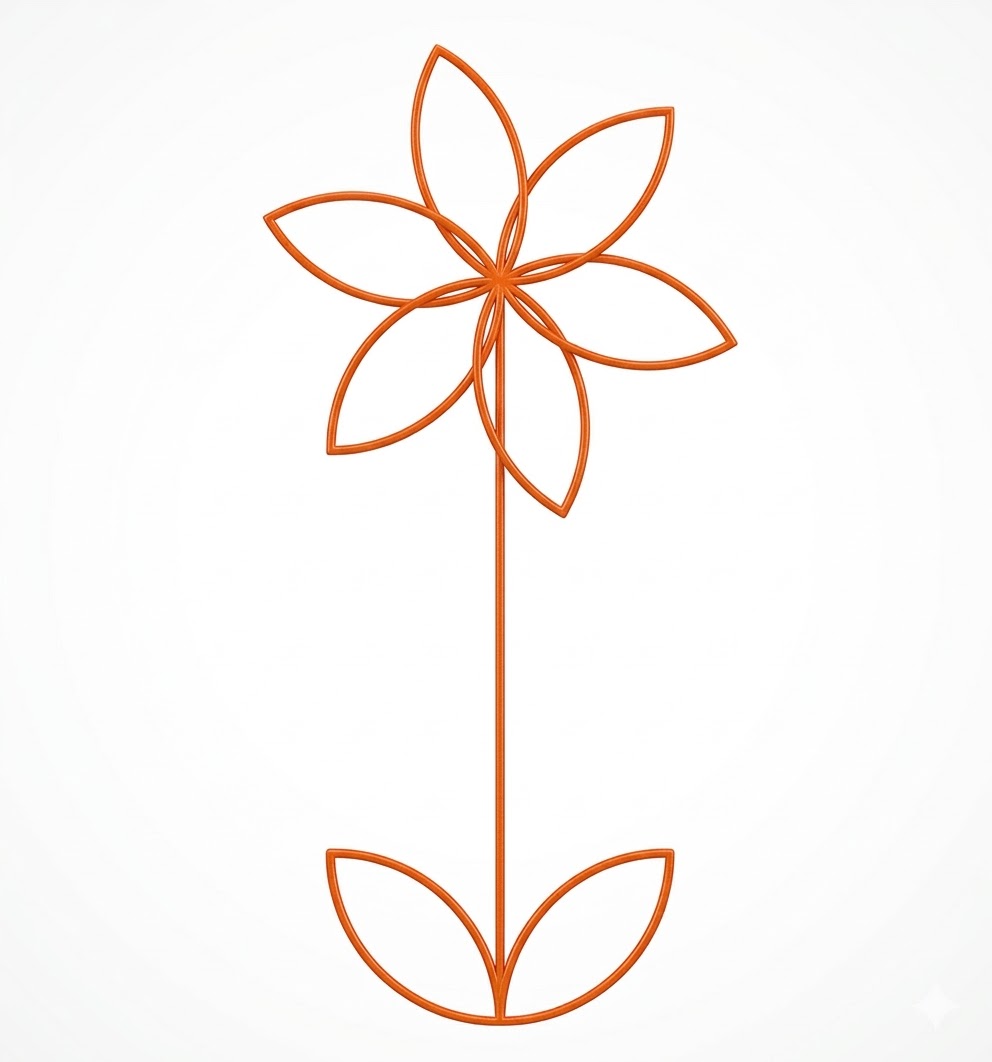
Create a full flower using repeated petals.
•
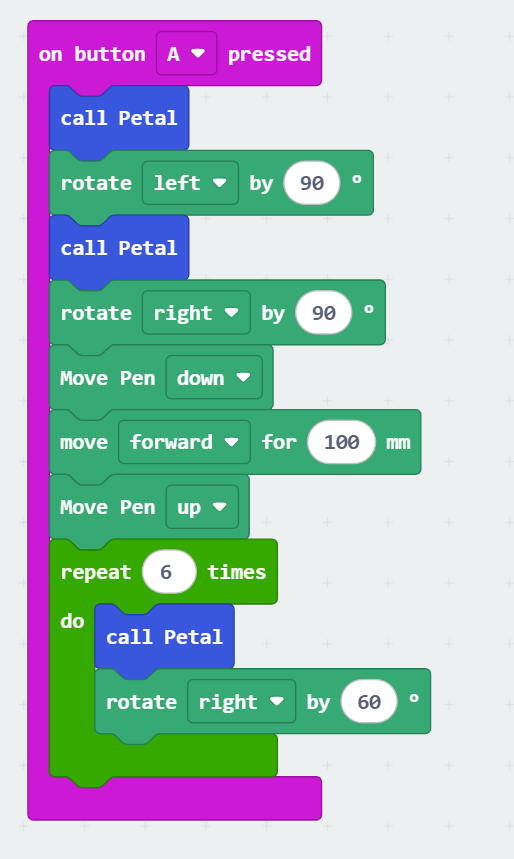
The main and most difficult part of this drawing is the petals. By creating a custom function for the petal, we can easily draw the flower.
Steps:
1.
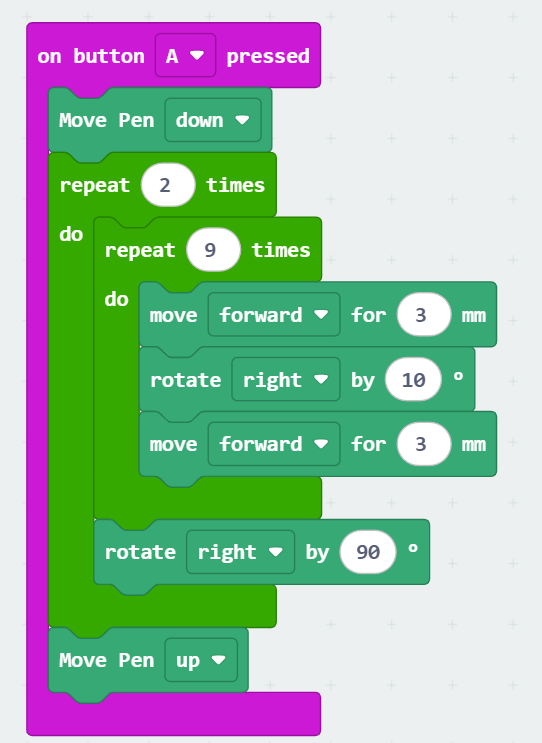
Create and test code to create a single-petal shape.

1.
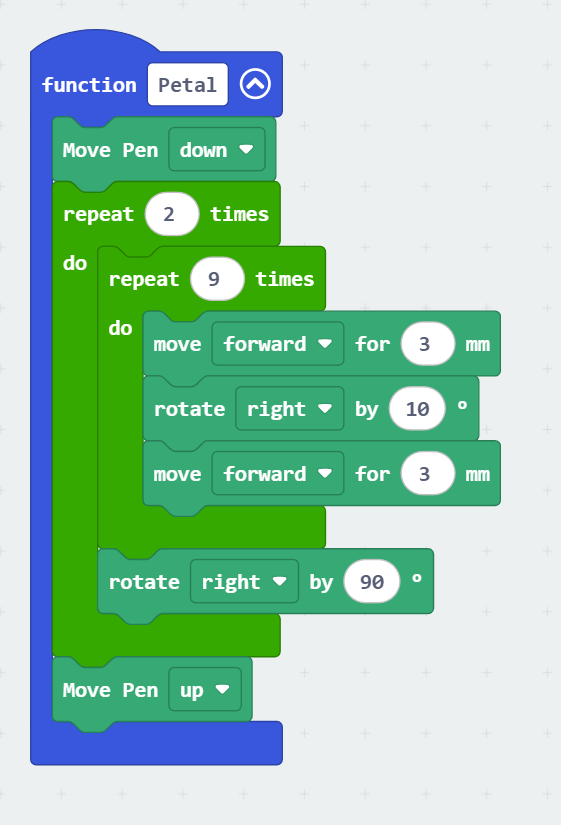
Create a function, name it "Petal", and move the Petal commands to it.
1.
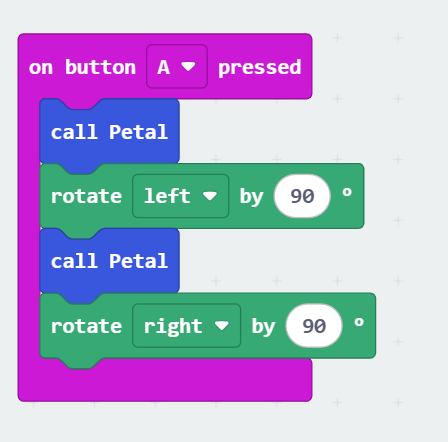
Start with the flower base by drawing two symmetric Petals.

1.
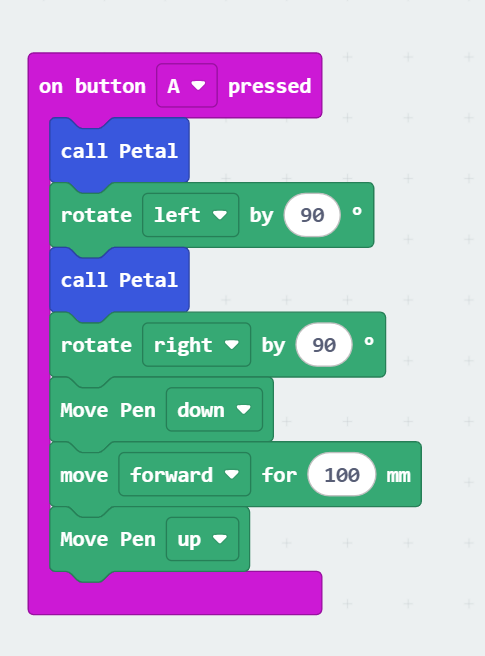
Draw the flower stem by drawing a straight line ( 100 mm )

1.
The last step is to create the top five petals of the flower. The created pattern consists of 5 petals. Since each full rotation is 360°, we need to rotate 360° / 5 (72°) after finishing each petal.

Challenge
Try to create your own artistic shape using Ziggy.
Think of a new design, such as a star, spiral, or a simple pattern.
Think of a new design, such as a star, spiral, or a simple pattern.